 CartVisual
MODEL & PRODUCT REVIEW EXAMPLE
What can a model-and-product image pair actually establish?
A portrait and a product scene let you compare visible features, not reconstruct the requests that produced them. Use the public images below to practice review. Original generation tasks, ordered reference metadata and private-library operations have not been independently verified for this pair, so it is not presented as a completed two-reference test.
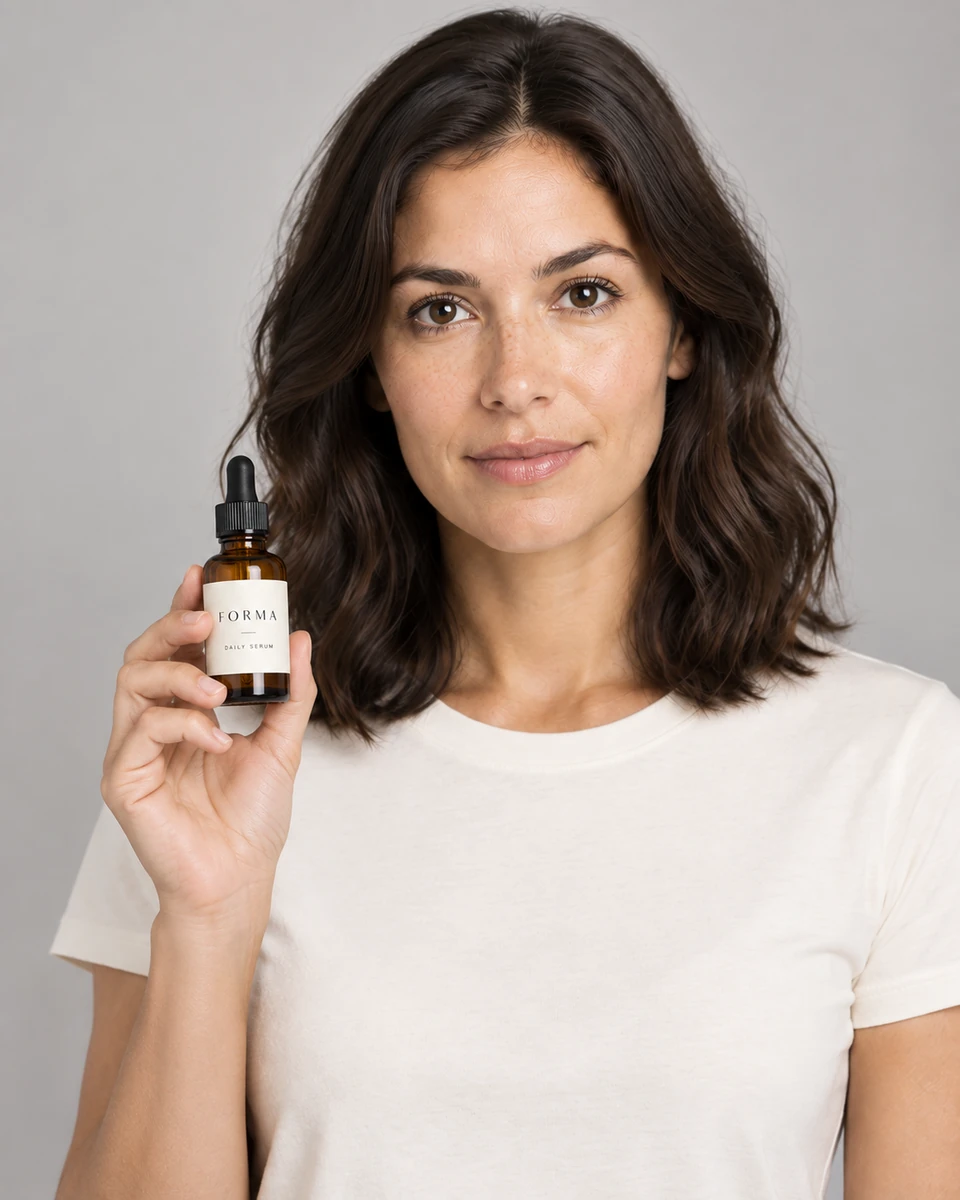
The public portrait and product scene

Separate what you see from what a task record proves
| Question | What these files provide | Evidence still needed |
|---|---|---|
| What looks similar or different? | Visible face, hair, pose and framing to compare | A defined identity-review checklist, not a visual guess about model inputs |
| What happened to the product? | A visible bottle, label and hand contact to inspect | The actual product source and verified facts for a fidelity decision |
| Were two references submitted? | No input metadata inside this public comparison | The original task and ordered input roles |
| Was a saved model reused? | No account-library operation record | An authorized saved-reference record linked to the original request |
| How often does this work? | No retained evaluation set or acceptance-rate denominator | Every evaluated variant, criteria, costs and decisions |
A similar face in two images does not identify a provider, prove a particular reference count or show that a private-library action succeeded. Keep those questions separate from the visual comparison.
Record a workflow before describing it as tested
- Define the task.Name the product edition, permitted adult reference and visual question before requesting an image.
- Record the inputs.Keep authorized source identifiers and their ordered roles without exposing private images or credentials.
- Keep the actual task record.Record its status, model, settings, source references, returned asset and account cost.
- Review all variants.Use the same checklist for accepted and rejected results; record the reason for each decision.
This is a proposed evaluation method, not a report that those steps were completed for the public pair. Describe a run as completed only when the original request and result records support that account.
How to run a stronger evaluation
Use a fixed authorized reference and written acceptance criteria. Keep weak outputs as well as selected ones. Record facial and hair changes, hand and anatomy defects, label errors, product-shape errors, retries and the actual account cost. A credible consistency statement needs a retained set with a denominator, not one favorable image.
See the product image review guide for visual checks and the model-reference workflow for current product guidance. Those pages do not independently prove the historical origin of this pair. Generated imagery does not establish garment fit, a customer endorsement or sales impact.
Frequently asked questions
Is the person presented as a real customer or spokesperson?
No. The public images are presented as fictional adult comparison material, not customer testimony or an endorsement.
Does this page verify two references or two successful image calls?
No. Original task and ordered input records have not been independently verified. The previous run account is withdrawn; visible files are not a substitute for those records.
Does a similar face establish identity training or a saved-model operation?
No. The images alone do not establish how they were produced, whether a model was trained or whether a private-library reference was reused.
Can this pair guarantee results for my products?
No. Compare every result with the actual references and product facts, and retain the full evaluation set before making a consistency claim.
PREPARE ASSETS FOR YOUR NEXT STEP
Create supporting product assets in CartVisual.
Create new product creative assets in the workspace, then continue in your chosen tools. Third-party software procedures described in this guide take place in those applications; this workspace link does not imply an integration. Check current capabilities, account access and credit quotes.
Explore asset creation tools Check pricing and credits