 CartVisual
DIAGNOSTIC GUIDE / Assets & tasks
Does one AI tool’s no-training policy cover every model I use for product photos?
No-training statements apply to the service and processing scope they actually describe. They do not automatically cover every connected model, intermediary, upload host or optional feature. Map the real route of your product material and check each party’s current policy before using confidential assets. This guide does not certify CartVisual or any unnamed provider as a no-training environment.
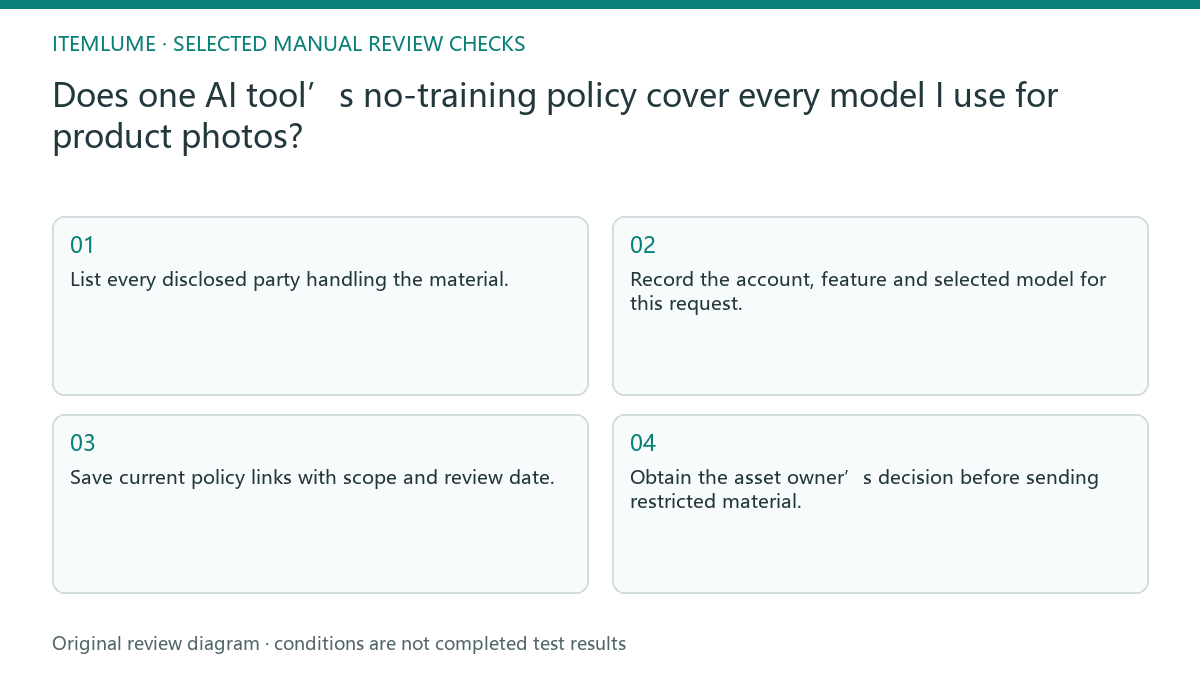
Draw the actual processing route
List the application, upload location, requested model and any disclosed intermediary. Separate the company that provides the interface from the company processing the model request. If a party or route is unknown, mark it unknown rather than borrowing a familiar vendor’s privacy statement.
Record whether the activity uses a consumer account, enterprise arrangement or another service tier. The relevant policy may differ by product and feature. A statement about one vendor’s own model cannot be extended to an unrelated model merely because both appear in one selector.
Keep training, retention and public access separate
Ask distinct questions about model training, storage duration, service operation and access by other people. A no-training statement does not by itself promise no storage or no operational processing. Keep answers tied to the named service and reviewed policy date.
Adobe’s Firefly FAQ is a source for its own described scope, not proof about every AI workflow. This guide makes no cross-provider policy conclusion from it. Where documents are unclear, request clarification or use a nonconfidential substitute while the owner decides whether processing is permitted.
- List every disclosed party handling the material.
- Record the account, feature and selected model for this request.
- Save current policy links with scope and review date.
- Mark unresolved training, retention or access answers explicitly.
- Obtain the asset owner’s decision before sending restricted material.
Fictional exercise: an unnamed intermediary
This fictional exercise involves an unreleased package photograph. The interface promotes a no-training statement, but the operator cannot identify the intermediary for the selected external model. The scenario is invented and is not an allegation about a specific service or CartVisual.
The team records the missing party and holds that confidential upload. They use a public sample for layout discussion while asking the service owner for the actual scope. The result is a bounded decision about that request, not a universal claim that all intermediaries train on data.
Maintain a request-specific approval record
Keep a request-specific ledger: date, product/feature, account tier, selected model/version where disclosed, upload/storage party, processing party or intermediary, policy URL and effective/review date, the exact covered data type, stated exceptions, unresolved questions and the material owner’s decision. Do not store credentials or confidential source content in that ledger. Adobe’s Firefly FAQ illustrates why a vendor statement must stay within its own described scope; it does not answer another provider’s retention or training policy. Reopen the decision after a model, intermediary, upload feature or policy change rather than silently reusing old approval.
Stop when the material owner has an informed decision for the known route, or keep restricted material out of the request. This is a policy-review workflow, not legal advice or a security audit. Do not advertise confidential-safe, zero-retention or no-training guarantees that the actual service documentation does not establish.
Processing-scope ledger
| Observation | Manual check | Stop or approve |
|---|---|---|
| Interface vendor | Identify actual request handler | Do not merge parties |
| Selected model changed | Recheck applicable policy | Renew approval if needed |
| No-training claim | Check retention separately | Keep unknown explicit |
| Confidential asset | Ask responsible owner | Hold until decision |
Use this matrix as a manual review record and add your own real evidence. Its conditions are not completed test results.
Sources and further reading
Recorded source-review dates are listed individually below. An undated source does not inherit the article’s publication date. Software and platform rules can change; check the current original before acting.
- CartVisual: editorial policy and product scope · Review date not separately recorded
- Adobe Firefly FAQ · Reviewed
Frequently asked questions
Does no training mean no storage?
Not necessarily; verify the specific policy answers separately.
Can another vendor’s FAQ cover this model?
Only if the actual documented scope explicitly covers the same service and route.
Can I test with confidential photos first?
Use an approved nonconfidential substitute until the owner resolves the processing decision.
PREPARE ASSETS FOR YOUR NEXT STEP
Create supporting product assets in CartVisual.
Create new product creative assets in the workspace, then continue in your chosen tools. Third-party software procedures described in this guide take place in those applications; this workspace link does not imply an integration. Check current capabilities, account access and credit quotes.
Explore asset creation tools Check pricing and credits