 CartVisual
DIAGNOSTIC GUIDE / Product images
How do I provide evidence of brushed-metal grain when AI makes it mirror-smooth?
Provide a real close view that shows the approved brushed surface and its direction, then compare that same area in the generated candidate. A shiny metal silhouette does not prove the finish has been preserved. Keep brushed faces, polished edges and reflections separately identified so the brief does not turn every part into the same texture or invent an unseen manufacturing detail.
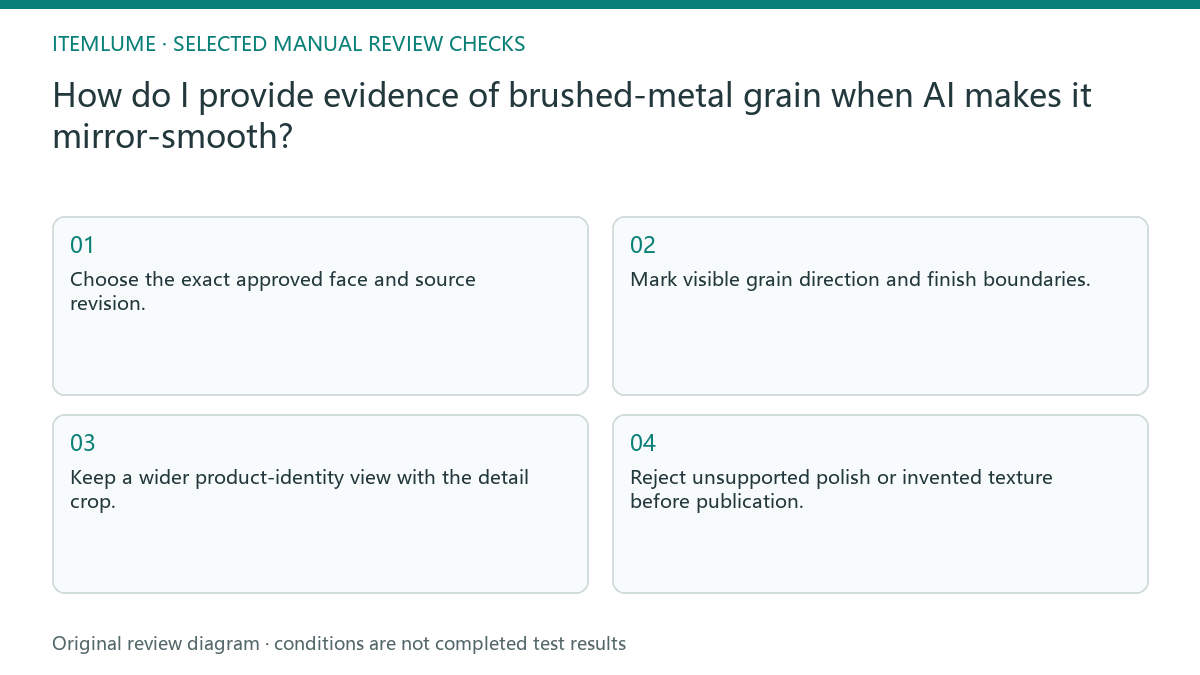
Map the surface before requesting a style
Identify the approved SKU/unit, source revision and exact face before naming a finish. Mark the grain direction relative to real landmarks, such as a lid hinge or a printed mark, on a working reference copy; do not infer it from the screen’s vertical edge. Record the view and lighting that reveal the marks and where they stop at a polished rim or a separate panel. Photoroom’s source workflow treats material, texture and distinctive details as product facts to preserve. The map is an editorial reference, not evidence of groove depth, machining direction or any hidden face.
Use a view with enough detail to distinguish visible surface marks from broad reflections. Keep a wider identification image alongside it so the close crop still belongs to the correct item. A texture photograph without product context can accidentally guide the wrong component or SKU.
Keep lighting variation distinct from finish change
Compare the same face under understandable viewing conditions. A brighter reflection can conceal some grain without proving the metal is polished. Look for whether the generated candidate preserves the supported surface pattern and its boundary rather than requiring every pixel to match the photograph.
In the creative brief, name the locked finish and the allowed scene changes. Keep unsupported process claims out of the copy. If the output is uniformly mirror-smooth where the reference clearly shows brushing, hold that candidate and revise the supported direction or choose another result.
- Choose the exact approved face and source revision.
- Mark visible grain direction and finish boundaries.
- Keep a wider product-identity view with the detail crop.
- Compare the same face in the generated candidate.
- Reject unsupported polish or invented texture before publication.
Fictional exercise: a brushed lid becomes reflective
This fictional exercise uses a container with a visibly brushed lid and a polished rim. A candidate makes both areas mirror-like. The invented image is not an CartVisual generation test or evidence about a particular model’s material accuracy.
The reviewer locks the lid finish and leaves the rim’s supported polish unchanged. They compare the next candidate at both boundaries rather than asking for roughness everywhere. If the lid still lacks its supported grain, the stopping decision is to hold it, not add a manufacturing claim to excuse the change.
Approve the visual record without inventing engineering evidence
Save the exact source face, accepted candidate and review notes. A macro artwork can help communicate appearance, but it does not establish grain depth, manufacturing method or performance. Keep those facts tied to the owner’s real product documentation. A crop must still show which face carries the grain. If another operator cannot locate it on the identification image, label the crop more clearly before using it to guide the candidate.
Stop when the buyer-facing picture preserves the finish visible in the supported references, with any unobserved area clearly excluded from the claim. CartVisual creation is not material testing. A changed supplier finish or SKU requires a new surface reference before reusing the previous approval.
Surface evidence map
| Observation | Manual check | Stop or approve |
|---|---|---|
| Brushed face | Compare source grain | Direction and boundary supported |
| Polished edge | Keep its separate role | Do not roughen by default |
| Strong reflection | Check same face detail | Distinguish hidden grain |
| Unseen rear face | Seek actual reference | Do not invent finish |
Use this matrix as a manual review record and add your own real evidence. Its conditions are not completed test results.
Sources and further reading
Recorded source-review dates are listed individually below. An undated source does not inherit the article’s publication date. Software and platform rules can change; check the current original before acting.
- CartVisual: editorial policy and product scope · Review date not separately recorded
- Product photography tips(Adobe Express) · Review date not separately recorded
- Photoroom: Repeatable product image workflow · Reviewed
Frequently asked questions
Does metal need visible grain everywhere?
No. Use the real finish map; polished and brushed areas may differ.
Can generated macro detail prove the process?
No. It is artwork, not a manufacturing record or measurement.
Should I keep a smooth result because it looks premium?
Only if that finish matches the real product reference; attractiveness does not replace identity.
PREPARE ASSETS FOR YOUR NEXT STEP
Create supporting product assets in CartVisual.
Create new product creative assets in the workspace, then continue in your chosen tools. Third-party software procedures described in this guide take place in those applications; this workspace link does not imply an integration. Check current capabilities, account access and credit quotes.
Explore asset creation tools Check pricing and credits