 CartVisual
DIAGNOSTIC GUIDE / Image remix
Should a WeChat share thumbnail be the same asset as the article hero?
A share thumbnail helps a reader recognize a link before opening it; an article hero introduces the content after opening. They can use the same source photo, but they do not have to be the same finished asset. Prepare each role separately and inspect the actual account’s sharing and reading previews. Do not invent a universal size or rely only on the design canvas.
Assign one job to each asset
For the share card, identify the product or subject that must remain recognizable in a small preview. Keep that purpose distinct from a hero that may carry a more detailed scene or explanatory caption. Duplicating a large hero with several small text lines can leave a tiny thumbnail unreadable.
First identify the shared object: an external web-page URL or an article published in a WeChat account. For the latter, inspect that account’s current cover and sharing controls. For an external page, Open Graph defines an image URL representing the page separately from its body hero, but this does not prove a particular WeChat route will use it. Changing the hero alone may not change the selected share image. Record the object URL or article ID, asset revision, client, route, date and expected versus observed preview.
Preserve the same subject without forcing the same crop
Use a consistent product, article topic, and visual identity across both assets. The share card should not attract readers with a different SKU or promise that the article does not answer. A tighter crop can be appropriate if it keeps the key subject truthful and does not remove information needed to identify it.
The hero can provide context after the click, while essential article meaning should also be in readable text. Do not place the entire answer inside the image. If the sharing crop hides a product label or leaves only decoration, prepare a separate thumbnail rather than shrinking the whole composition until nothing is legible.
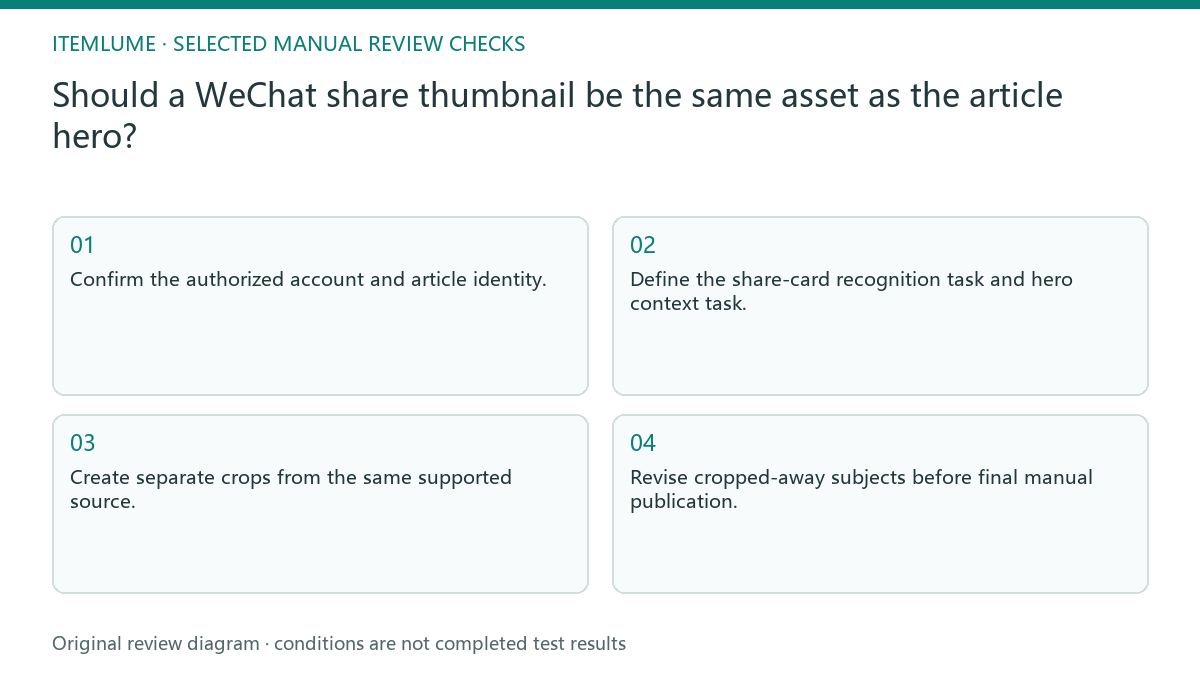
- Confirm the authorized account and article identity.
- Define the share-card recognition task and hero context task.
- Create separate crops from the same supported source.
- Inspect actual sharing and article-reading previews.
- Revise cropped-away subjects before final manual publication.
A fictional product-workflow article
Fictional exercise: a guide’s hero shows a product, a desk scene, and several process labels. Its sharing preview crops to a plant and a fragment of text. The reviewer prepares a simpler product-centered thumbnail while keeping the detailed hero in the article. No WeChat article was published or recipient preview measured here.
For the next actual check, record whether the preview shows the intended product and title. If an old card persists, preserve the observed route and selected asset before checking the relevant editor or webpage metadata. Treat client caching as a possible investigation, not a proven cause. Mark an unobserved recipient view pending; do not claim every route is fixed from one successful local preview.
Keep publication evidence separate from discovery claims
After an authorized manual publication, review the real article and sharing card again. Keep the final assets and observed route together. A correct preview proves that a particular view displayed the expected asset; it does not prove indexing, engagement gains, or citations by Doubao or DeepSeek.
CartVisual can help prepare imagery and confirmed copy, not publish into WeChat or control every client cache. Public articles should retain readable question-and-answer content outside the artwork. Do not announce distribution success from a locally generated thumbnail; the real published URL and actual checks are separate completion evidence.
Share card and hero roles
| Asset or state | Check | Acceptance |
|---|---|---|
| Share thumbnail | Recognizable subject at actual preview | Matches article topic |
| Article hero | Readable context after opening | Does not carry the only answer |
| Crop changes subject | Actual sharing route | Prepare truthful separate crop |
| Old card still displays | Real editor and sharing state | Record unresolved preview check |
Use this matrix as a manual review record and add your own real evidence. Its conditions are not completed test results.
Sources and further reading
Recorded source-review dates are listed individually below. An undated source does not inherit the article’s publication date. Software and platform rules can change; check the current original before acting.
- CartVisual: editorial policy and product scope · Review date not separately recorded
- The Open Graph protocol · Reviewed
Frequently asked questions
Must both assets be identical?
No. They should communicate the same subject, but their composition can serve different roles.
Can I use any fixed size from another tutorial?
Check the current account editor and real preview. Do not treat an unverified size as universal.
Does a good card prove AI discovery?
No. Sharing presentation, search indexing, and AI citations require separate evidence.
PREPARE ASSETS FOR YOUR NEXT STEP
Create supporting product assets in CartVisual.
Create new product creative assets in the workspace, then continue in your chosen tools. Third-party software procedures described in this guide take place in those applications; this workspace link does not imply an integration. Check current capabilities, account access and credit quotes.
Explore asset creation tools Check pricing and credits