 CartVisual
DIAGNOSTIC GUIDE / A+ product pages
How do I distinguish total shelf life from remaining shelf life at dispatch?
Separate total shelf life from the remaining time of the batch actually dispatched. A documented interval from manufacture does not mean each buyer receives that entire interval after delivery. Use authentic batch dates and the seller’s real dispatch policy; do not let AI infer expiry from package appearance. Use the actual stock evidence and state when any remaining-period promise is evaluated.
Total shelf life is not remaining time at arrival
Manufacturing date, printed expiry, dispatch date and a minimum-remaining-life promise answer different questions. Subtracting dates is only useful once the actual batch and meaning of each field are confirmed. A static creative may become inaccurate if the advertised remaining period is tied to stock that has changed.
Keep manufacture date, printed expiry, dispatch date and any remaining-life policy in different fields. A total interval measured from manufacture cannot be copied as the time every buyer has after receipt. Dates are meaningful only for the actual batch and the documented definition.
Bind the copy to the batch actually dispatched
Record the current batch identifier and the dates supplied by its approved records. Ask the seller whether any minimum remaining life is actually promised at dispatch or delivery. Keep that policy separate from total shelf life, check the wording against current stock, and remove a time-sensitive claim when its supporting batch is no longer the dispatched one.
Keep one dated record per supported promise: batch ID; original manufacture and printed-expiry fields; actual or planned dispatch date; whether the approved policy applies at dispatch or delivery; the policy source and artwork revision. Leave an unknown field unresolved. A seller can approve offer wording but cannot make an unreadable date or unknown batch into evidence. Review the record when the dispatched stock changes.
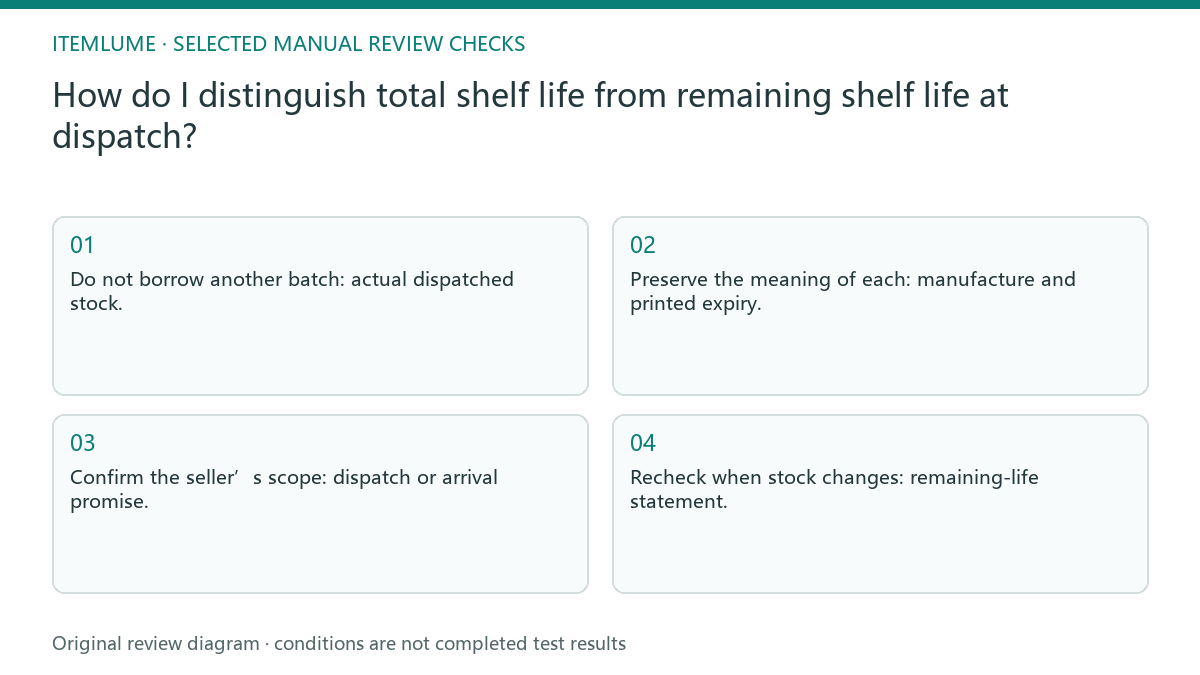
- Do not borrow another batch: actual dispatched stock.
- Preserve the meaning of each: manufacture and printed expiry.
- Confirm the seller’s scope: dispatch or arrival promise.
- Recheck when stock changes: remaining-life statement.
An older batch shares the same total-life label
Fictional calendar calculation only: for a made-up batch with a printed expiry of 31 December 2026 and a dispatch date of 1 October 2026, ordinary date subtraction gives 91 days between those dates. This does not determine the meaning or validity of the expiry label, safety, the delivery date or any minimum time a buyer receives. Keep the calculation labeled “at dispatch” if that is the supported reference point; do not relabel it “on arrival.”
The fictional product’s old and current batches have the same total-life statement but different manufacture dates. The worksheet explains why that statement cannot serve as an arrival guarantee. The exercise is not a freshness inspection and does not determine whether any product is safe to consume. If several batches can ship under one SKU, ask which remaining-life statement the seller can actually support across that route. Do not select the newest batch solely to calculate a stronger headline. A conservative unknown is preferable to a guarantee built on the wrong stock.
Remove a claim when its supporting stock changes
FTC U.S. advertising guidance considers the claim and its qualifications together. Apply that editorial principle to the headline and date reference: a total-life label cannot supply a missing remaining-life promise. Obtain the relevant product and stock documentation for the actual market; this guide gives neither food-label clearance nor consumption advice.
Stop if the batch or applicable promise point is unknown. Resolve the actual stock route before writing a remaining-period guarantee. The seller owns batch selection and dispatch commitments. CartVisual can organize confirmed facts; it cannot inspect inventory, certify shelf life or determine whether a product is safe to use.
Batch identity to current copy: decision worksheet
| Check | Evidence to record | Review action |
|---|---|---|
| Batch identity | Actual dispatched stock | Do not borrow another batch |
| Date records | Manufacture and printed expiry | Preserve the meaning of each |
| Policy point | Dispatch or arrival promise | Confirm the seller’s scope |
| Current copy | Remaining-life statement | Recheck when stock changes |
Use this matrix as a manual review record and add your own real evidence. Its conditions are not completed test results.
Sources and further reading
Recorded source-review dates are listed individually below. An undated source does not inherit the article’s publication date. Software and platform rules can change; check the current original before acting.
- CartVisual: editorial policy and product scope · Review date not separately recorded
- FTC: Advertising FAQs for small business · Reviewed
Frequently asked questions
Does a long total shelf life guarantee long remaining life?
No. Remaining time depends on the actual batch and the promise’s reference point.
Can AI read an unclear printed expiry by guessing?
No. Obtain a readable authentic record instead of inventing a date.
Does the example give consumption-safety advice?
No. It explains copy scope and does not assess whether a product is safe to use.
PREPARE ASSETS FOR YOUR NEXT STEP
Create supporting product assets in CartVisual.
Create new product creative assets in the workspace, then continue in your chosen tools. Third-party software procedures described in this guide take place in those applications; this workspace link does not imply an integration. Check current capabilities, account access and credit quotes.
Explore asset creation tools Check pricing and credits