 CartVisual
DIAGNOSTIC GUIDE / A+ product pages
Does wireless mean a product works without an app, account or internet?
Wireless describes a connection characteristic, not a guarantee that every function works without an app, account, or internet. List the actual product functions and their documented dependencies separately. Distinguish nearby control, remote service, initial setup, and ongoing use. Do not infer operating conditions from icons or attractive app screenshots, and do not advertise an unverified offline mode.
List functions instead of one broad claim
Ask the merchant what the exact SKU can do, then give each function its own row. A local button, nearby phone control, remote notifications, and cloud history may have different requirements. The presence of one wireless function does not establish that all functions are available under the same conditions.
Keep hardware and service dependencies distinct. Some tasks may need an accessory, while others may depend on a specific account or service. Obtain the actual manual or merchant confirmation for the offered version. A screenshot showing a function does not identify the requirements for reaching it.
Separate setup from daily operation
Record whether an app or connection is needed once for setup, every time for use, or only for a specific optional feature. Do not erase those distinctions in a short slogan. A product can operate in one limited state without a network while another advertised function requires a documented service.
Use terms the merchant has verified and avoid invented standards, compatibility promises, or performance claims. If the offline behavior is unknown, say it is not confirmed in the internal brief and hold that customer-facing assertion. AI cannot test connectivity or determine a device’s dependencies from its appearance.
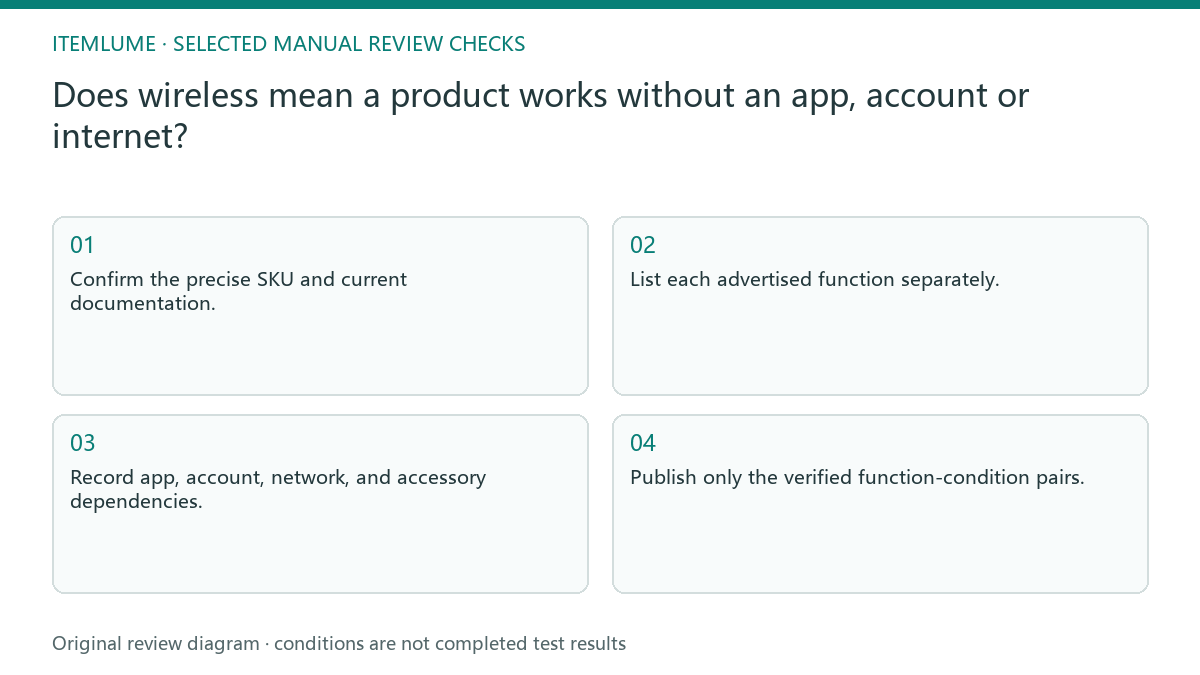
- Confirm the precise SKU and current documentation.
- List each advertised function separately.
- Record app, account, network, and accessory dependencies.
- Distinguish setup conditions from ongoing use.
- Publish only the verified function-condition pairs.
Distinguish no internet from no local network
Tapo’s own smart-plug FAQ provides a concrete example for the models it lists: local control uses the app on the local network without internet, while remote control requires working internet; initial configuration is another distinct app-dependent step. That is not a universal specification for the fictional desk product or every Tapo model.
For your offer, write separate columns for initial setup, nearby operation, remote operation, account/app, local network, internet, and any accessory/service requirement. A product may not need internet for one task while still needing a local network and an app. Do not shorten that fact to “no connection needed.”
Record the actual manual/firmware version and the named function. Where a dependency is unknown, hold that function’s unconditional claim instead of assuming the most convenient state. Any authorized test later must preserve the exact model and conditions; a screenshot alone cannot establish how the function behaves when an app, account or connection is absent.
A fictional wireless desk product
Fictional exercise: a desk product has a local control and an optional remote notification service. The source brief calls it wireless, while a draft turns that into no app or internet needed for everything. The reviewer separates the local function from the service and requests the actual documented requirements. No device was tested.
A revised draft names what works under the confirmed conditions rather than announcing universal offline operation. If the source does not verify whether remote notifications need an account, stop that claim. Do not invent a convenient setup procedure or portray the missing evidence as a minor footnote.
Keep interface visuals consistent with the conditions
Check screenshots and scene imagery alongside the text. A phone showing live remote control can imply a function even when the caption discusses only local use. Use a real interface source and describe the relevant state. Removing a slogan while keeping an unsupported interface demonstration does not resolve the claim.
CartVisual can assist with briefs and product copy, not connect to the device or verify services. External testing, if authorized later, needs the actual model and conditions recorded. Stop when a dependency is unknown rather than using wireless as a catch-all promise; precise prerequisites help the buyer decide whether the product suits their situation.
Function and dependency map
| Function | Evidence to request | Copy condition |
|---|---|---|
| Local control | Manual for offered SKU | State verified local behavior |
| Nearby phone control | Actual app/setup documentation | State confirmed prerequisites |
| Remote notification | Service and account requirements | Do not call universally offline |
| Initial setup | Current setup instructions | Distinguish once from every use |
Use this matrix as a manual review record and add your own real evidence. Its conditions are not completed test results.
Sources and further reading
Recorded source-review dates are listed individually below. An undated source does not inherit the article’s publication date. Software and platform rules can change; check the current original before acting.
- CartVisual: editorial policy and product scope · Review date not separately recorded
- Photoroom: How to make AI product images look real · Reviewed
- Tapo: Smart Plug FAQ, setup and local/remote control · Reviewed
Frequently asked questions
Does wireless mean no internet?
Not by itself. Confirm the requirements of each actual function.
Can one screenshot prove setup-free use?
No. It shows a view, not the conditions needed to reach or operate it.
Can AI verify an offline mode?
No. Use real documentation or an appropriately authorized device test.
PREPARE ASSETS FOR YOUR NEXT STEP
Create supporting product assets in CartVisual.
Create new product creative assets in the workspace, then continue in your chosen tools. Third-party software procedures described in this guide take place in those applications; this workspace link does not imply an integration. Check current capabilities, account access and credit quotes.
Explore asset creation tools Check pricing and credits