 CartVisual
DIAGNOSTIC GUIDE / A+ product pages
How do I explain flat-pack delivery when the hero image shows assembled furniture?
Show the assembled result and describe the actual delivery state separately. A room scene can explain the furniture’s intended use, but it should not leave buyers to assume the item arrives assembled or includes installation service. Confirm those responsibilities from the seller’s real fulfillment information. The shopper must understand what arrives, not merely what the finished room can look like.
The assembled scene does not show delivery state
Finished appearance, packed components and assembly responsibility answer different questions. A scene does not prove which tools are included, how long installation takes or whether a service is offered. Even when every visible component is accurate, missing delivery context can still create the wrong expectation.
Ask what the buyer physically receives and who completes assembly. A styled room can explain the finished use, while its neat construction may conceal boxed parts. Do not infer included tools, installation service or setup time from that scene.
Build a finished-packed-assembly fact sheet
Make a three-state sheet for the assembled product, the actual package and the supported assembly route. Record included parts and confirmed tool requirements. Place a clear delivery-state explanation near the hero promise, keep instructions accessible, and inspect whether any depicted service is genuinely offered by the seller.
For each supported state, record the source revision and responsible seller. Keep any assembly service separate from the packed contents: included, paid optional, location-limited or unavailable must reflect the actual offer. Review the hero and nearby explanation together so the finished-room illustration does not imply a different delivery contract.
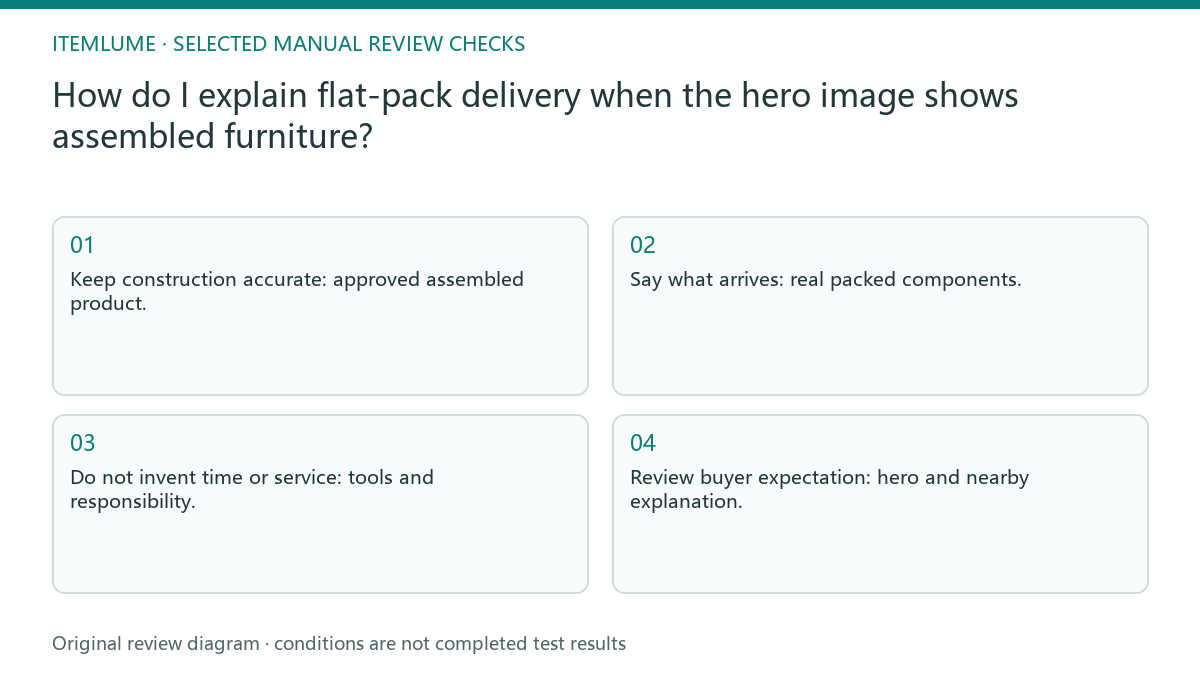
- Keep construction accurate: approved assembled product.
- Say what arrives: real packed components.
- Do not invent time or service: tools and responsibility.
- Review buyer expectation: hero and nearby explanation.
A study desk arrives as separate panels
Fictional exercise: a desk is shown in a styled study but arrives as boxed panels. The seller’s brief explicitly says buyer assembly and lists documented included fasteners. An installation-time estimate is left unknown because no approved record exists. The assembled room image remains a context illustration, not a delivery photograph.
For this fictional desk only, the verified facts permit wording such as “Shown assembled for illustration. Delivered as boxed panels and the listed fasteners; customer assembly required.” Add tools, timing or optional installation only if the seller’s actual records support them, including location/order limits. Keep the packing-list revision, approved sentence and buyer-facing placement together. The FTC’s U.S. advertising guide considers omissions that leave a misleading product impression; a distant instruction link does not make a contradictory assembled-delivery promise accurate.
Make the buyer’s responsibility visible
Stop if the page implies assembled delivery or an installer without a confirmed service route. Correct that promise before polishing the room scene.
Keep uncertain assembly duration and service promises unpublished. The seller must resolve fulfillment facts, and the creative must follow them when delivery arrangements change. The seller owns packing and assembly information. CartVisual can illustrate a verified finished product but does not deliver furniture or validate installation instructions.
Finished state to page promise: decision worksheet
| Check | Evidence to record | Review action |
|---|---|---|
| Finished state | Approved assembled product | Keep construction accurate |
| Delivered state | Real packed components | Say what arrives |
| Assembly route | Tools and responsibility | Do not invent time or service |
| Page promise | Hero and nearby explanation | Review buyer expectation |
Use this matrix as a manual review record and add your own real evidence. Its conditions are not completed test results.
Sources and further reading
Recorded source-review dates are listed individually below. An undated source does not inherit the article’s publication date. Software and platform rules can change; check the current original before acting.
- CartVisual: editorial policy and product scope · Review date not separately recorded
- Product photography tips(Adobe Express) · Review date not separately recorded
- FTC: Advertising FAQs for small business · Reviewed
Frequently asked questions
Can the room scene stand in for a delivery photo?
No. State whether the item arrives assembled or as components using actual fulfillment facts.
May I estimate assembly time from the picture?
No. Keep it unknown unless an approved record supports the estimate.
Where should the assembly responsibility appear?
Near the main product promise, with a consistent detailed instruction route.
PREPARE ASSETS FOR YOUR NEXT STEP
Create supporting product assets in CartVisual.
Create new product creative assets in the workspace, then continue in your chosen tools. Third-party software procedures described in this guide take place in those applications; this workspace link does not imply an integration. Check current capabilities, account access and credit quotes.
Explore asset creation tools Check pricing and credits