 CartVisual
PRACTICAL ANSWER / Product images
Should every handmade ceramic item use the same perfect product photo?
No. Use a representative product photo for a repeatable design only when the listing explains natural variation. If each cup has a distinct glaze pattern, photograph the exact sale unit or show several real examples so buyers can judge what may change.
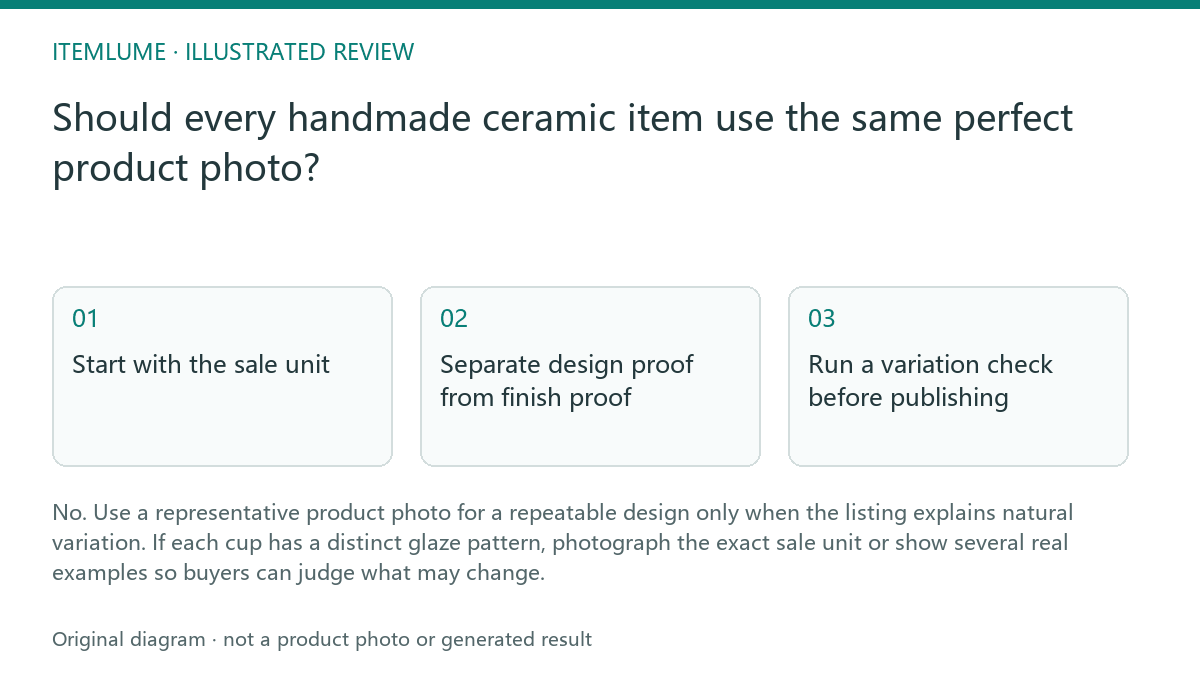
Start with the sale unit
First decide what the buyer is actually purchasing. A standard handmade cup may share a shape, capacity, handle, and glaze family while still having different runs, speckles, pooling, or color transitions. Those differences are part of the product condition, not a camera defect to remove.
Record whether the buyer receives one exact cup, one unit selected from the batch or a made-to-order piece. Use real photographs that match that sales promise and label representative examples clearly. A variation note does not override marketplace image requirements: Etsy generally requires original photos of the actual product, with defined exceptions. Check the applicable exception before using a sample or mockup, and do not let an edited ideal substitute for evidence of the finish on the stock being sold.
Separate design proof from finish proof
A clear real-product hero image can communicate the cup’s outline, handle, opening and foot ring. It is not independent proof of dimensions, construction or the finish of every unit. Check structure against the physical item and provide measured dimensions or a trustworthy scale reference when size matters. Etsy distinguishes a scale shot from other product-photo roles. A generated or heavily edited image may change geometry as well as glaze, so keep it separate from factual product evidence.
Keep two kinds of evidence visible when variation matters. Use one clean design view for fast recognition, then add real photographs of the actual cup or a small group from the same firing. A caption can distinguish “representative sample” from “exact item shown,” but the image sequence should make that distinction easy to notice.
Run a variation check before publishing
Use a short review sequence before approving the listing.
Approve only the exact-unit or representative-set presentation that the sales record supports.
- Compare the image with the physical cup under neutral, repeatable light.
- Mark every visible glaze feature that may vary, such as runs, spots, pooling, or rim tone.
- Check whether the sale unit is exact, selected from a batch, or made after ordering.
- Rewrite the caption and variation note so the image and promise agree.
- Approve only when a buyer could understand what is fixed and what may change.
Show enough evidence without making the gallery confusing
Three cups with the same design can be more informative than one artificially perfect cup. Photograph them together only if the grouping clarifies variation rather than implying that all three are included. Label the image as an example set, and state whether the buyer receives one cup or the pictured group.
Use the first image for recognition, the next image for real finish variation, and a detail crop for glaze behavior. Do not use a generated scene to invent a cleaner surface, a different color balance, or a finish that has not been observed on the physical stock.
Handmade glaze variation review
| Observation | Next check | Pass condition |
|---|---|---|
| Three cups share the same form but have different glaze runs | Confirm the listing sells one cup and describe the run variation | The image and copy do not imply identical surfaces |
| The hero image looks smoother than the physical cup | Compare edge, speckle, pooling, and rim details under neutral light | No removed or invented finish detail changes the buying decision |
| A batch photo shows multiple cups | Check whether the group is evidence or the actual quantity sold | Caption states representative sample or exact group clearly |
| Color changes between phone and studio images | Compare the physical glaze beside the approved reference photo | The chosen image remains a fair color guide with a variation note |
If the finish issue also involves a named color variant, compare How to verify color variants in AI product images.
Sources and further reading
Recorded source-review dates are listed individually below. An undated source does not inherit the article’s publication date. Software and platform rules can change; check the current original before acting.
- CartVisual: editorial scope and evidence · Reviewed
- Photoroom: repeatable product image workflow · Reviewed
- Google Search Central: image publishing guidance · Reviewed
- Etsy: Listing Image Requirements · Reviewed
- Etsy: 7 Essential Types of Product Photos · Reviewed
- eBay: Adding pictures to your listings · Reviewed
Frequently asked questions
Should I show every cup separately?
Only when each unit is materially different or the buyer selects the exact piece. Otherwise, use a representative sample plus real variation examples.
Can a generated image show my glaze more clearly?
It may support a scene or composition, but it should not invent a finish or replace evidence of the physical item.
What should the listing say about natural variation?
State what stays consistent, what may differ, and whether the buyer receives the exact item shown or one selected from a batch.
PREPARE ASSETS FOR YOUR NEXT STEP
Create supporting product assets in CartVisual.
Create new product creative assets in the workspace, then continue in your chosen tools. Third-party software procedures described in this guide take place in those applications; this workspace link does not imply an integration. Check current capabilities, account access and credit quotes.
Explore asset creation tools Check pricing and credits