 CartVisual
DIAGNOSTIC GUIDE / Packaging studio
Why does my editable logo or packaging file open without its linked images?
An editable file can display a cached preview while its placed images remain linked to files on another computer. Send the required dependencies or an agreed embedded version, and ask the recipient to reopen the package. Adobe Illustrator documents packaging files for handoff. A PDF or screenshot that looks complete does not prove that the editable source can be reproduced.
Inventory placed assets by role
For each placed picture, record its file name, status, source location and purpose. Distinguish a linked product photograph from an embedded asset and from a preview-only object. Keep the approved revision visible so a replacement is not silently taken from an older folder.
Do not resolve a missing link by choosing the nearest-looking thumbnail. A near-identical bottle image can contain a different label or color. Confirm the SKU and source revision before relinking; a successful relink merely shows that some file was found.
Choose a complete and permitted handoff
In Adobe Illustrator’s File > Package workflow, Copy Links gathers the linked assets, while Relink Linked files to the Document changes the document’s links to the package location. Adobe states that if relinking is not selected, the packaged document can keep its original link locations even though copies were collected. Confirm those actual options and inspect the package report, then have the recipient open the package outside the author’s path. Transfer only required, permitted images and fonts; packaging does not grant rights or restore missing resolution.
Ask the recipient to open the handoff outside the author’s original path. Inspect link warnings and the real placed-image quality at intended output scale. Embedding a small preview does not restore original detail, and copying a folder does not certify print suitability.
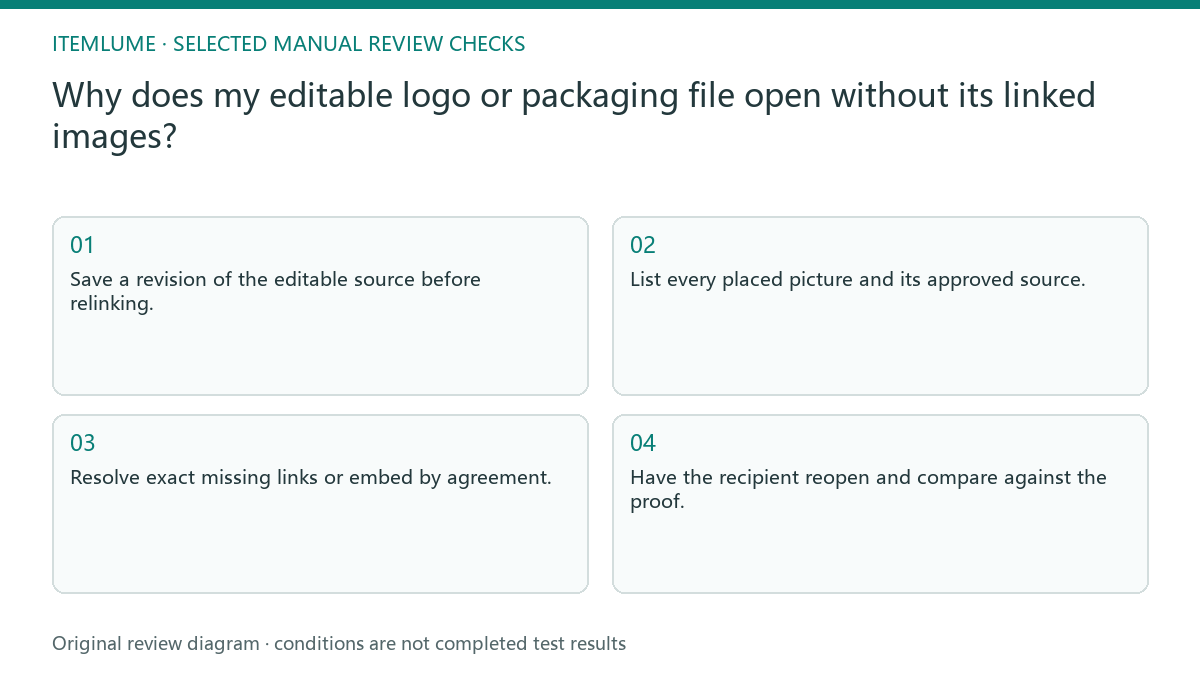
- Save a revision of the editable source before relinking.
- List every placed picture and its approved source.
- Resolve exact missing links or embed by agreement.
- Transfer only the required, permitted dependencies.
- Have the recipient reopen and compare against the proof.
Fictional exercise: a logo presentation loses its texture
In this fictional exercise, a logo presentation includes a linked paper texture and a product photograph. The author sends the editable file alone. A recipient sees missing-link warnings even though the author’s PDF looks finished. This is an invented dependency problem, not a paid test.
The author packages the approved photograph and texture, then the recipient reopens that package on a separate path. Only dependency completeness is being tested. If the wrong texture revision appears or a picture cannot be transferred legitimately, the team holds the handoff rather than substituting silently.
Finish with a reopen receipt
The receipt should identify the editable file, the included assets, unresolved links and a comparison with the approved proof. Keep a difference log for relinked objects. A receiver’s screenshot is useful only when it names the actual package and revision they opened.
Stop when the recipient can open the agreed source without unresolved dependencies and confirm the intended images. Production resolution, fonts and print conditions require their own checks. CartVisual’s raster concept can be an input to this process; it is not an automatically packaged vector or print file.
Placed-image dependency check
| Observation | Manual check | Stop or approve |
|---|---|---|
| Missing link | Match exact approved file | Correct version found |
| Cached preview | Reopen on another path | Actual image available |
| Embedded thumbnail | Inspect output scale | Quality checked separately |
| Transfer restriction | Confirm owner permission | Hold until permitted |
Use this matrix as a manual review record and add your own real evidence. Its conditions are not completed test results.
Sources and further reading
Recorded source-review dates are listed individually below. An undated source does not inherit the article’s publication date. Software and platform rules can change; check the current original before acting.
- CartVisual: editorial policy and product scope · Review date not separately recorded
- Adobe Illustrator: Package files · Reviewed
Frequently asked questions
Is a PDF enough?
A PDF may be the agreed final deliverable, but it does not prove an editable handoff has working dependencies. If editable source is required, verify both collected assets and the links in the packaged document, then reopen outside the original source path.
Can I copy every local folder?
Transfer only relevant and permitted dependencies, not private material or unrelated business data.
Does embedding guarantee print quality?
No. Dependency availability and output quality are separate approvals.
PREPARE ASSETS FOR YOUR NEXT STEP
Create supporting product assets in CartVisual.
Create new product creative assets in the workspace, then continue in your chosen tools. Third-party software procedures described in this guide take place in those applications; this workspace link does not imply an integration. Check current capabilities, account access and credit quotes.
Explore asset creation tools Check pricing and credits