 CartVisual
DIAGNOSTIC GUIDE / A+ product pages
Why does AI misunderstand a product whose name does not explain what it is?
Give AI the product type separately from its invented name. A word such as “LumaNest” does not establish whether you sell a lamp, organizer or blanket. Provide the approved name, ordinary category and a small set of verified features, then inspect whether the draft uses them correctly. Do not let a plausible interpretation of the name become a new product function.
Create a minimum identity block
Write four fields: exact name, ordinary product type, selected SKU and verified features. Use plain category words that a buyer understands. Keep a brand story or creative nickname in another field so it cannot displace the functional identification.
Shopify’s description-generation help asks for product information and makes the merchant responsible for accuracy. That principle supports supplying facts; it does not mean another tool knows your catalog automatically. A model cannot retrieve absent specifications merely because a name sounds familiar.
Use a fact block and a sentence-level reject list
Fictional input example: Name: LumaNest. Type: hanging fabric organizer. SKU: LN-01. Verified visible features: fabric pockets and hanging loops. Unknown: load rating, wash method and dimensions. Creative story: a tidy nook. Do not infer lighting, power or a warming function. The SKU and properties are invented for teaching, not a catalog record.
A draft line such as “Its warm light makes bedtime relaxing” fails because no illumination or outcome is supported. “A hanging fabric organizer with pockets” matches the exercise’s identity facts. “Strong enough for heavy tools” still fails: a correct category does not supply a load rating. Trace each functional statement to a fact and its confirming owner/source rather than checking only the headline.
The name-only versus fact-block comparison is a proposed editorial exercise. Use already available drafts or a deliberately authorized tool run; the guide does not require a paid generation to demonstrate the check. A better single draft is not a measured improvement rate or proof that the brief prevents every hallucination.
Run a controlled input comparison
Keep the name, language and writing task constant. Compare a draft using the name alone with one using the identity block, and label both as drafts. Look for category, use and feature errors rather than choosing the more fluent text first.
If the fact-based draft still changes the product type, correct the brief and inspect the specific sentence. Remove unsupported features before asking for stylistic polish. A shorter accurate draft is more useful than a detailed story about a function the product does not have.
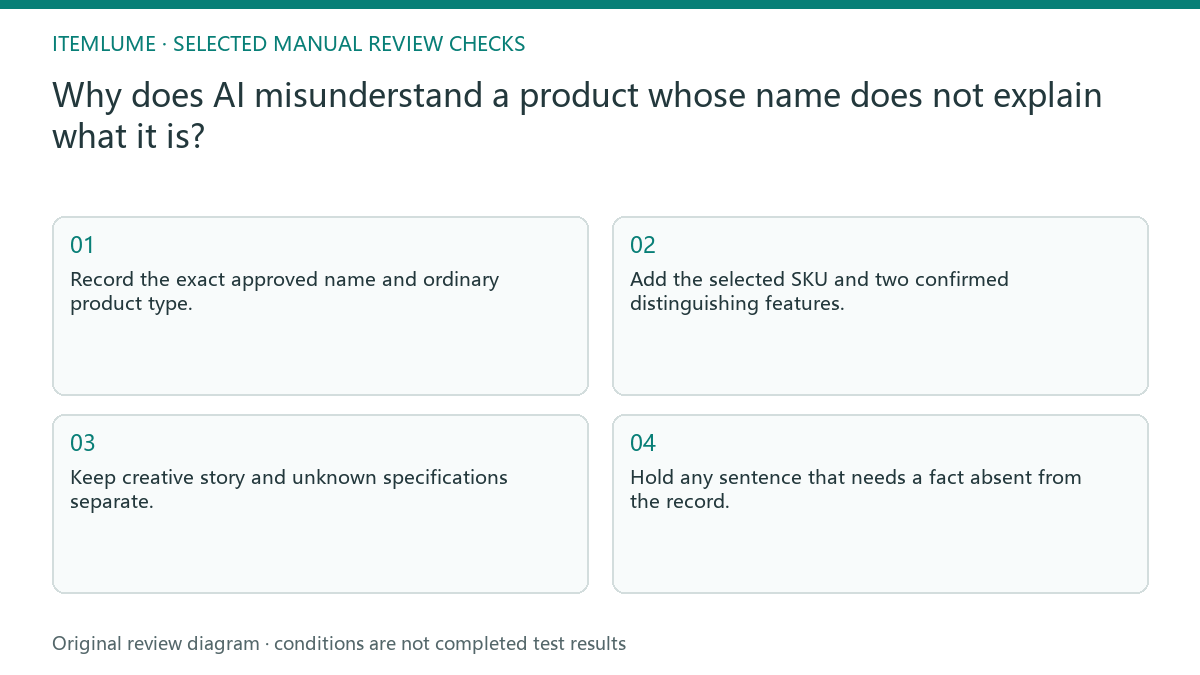
- Record the exact approved name and ordinary product type.
- Add the selected SKU and two confirmed distinguishing features.
- Keep creative story and unknown specifications separate.
- Compare category and functions in the generated draft.
- Hold any sentence that needs a fact absent from the record.
Fictional exercise: a name sounds like lighting
This fictional exercise calls a fabric organizer “LumaNest.” A name-only draft describes a warm glow. The approved fact block instead identifies a hanging fabric organizer with pockets. The error and replacement are invented examples, not observed results from an CartVisual test.
The reviewer changes only the category evidence in the brief and checks whether lighting claims disappear. If an unsupported illumination claim remains, the sentence is rejected. The stop condition is correct product identity and supported features, not a richer metaphor or a longer paragraph.
Save the approved identity for later drafts
Keep the fact block with the final copy and record who confirmed it. Reuse its stable name and type in later image, packaging or video briefs while checking SKU-specific differences. Do not carry a creative nickname into a specification field without explanation. Inspect search-friendly category words as well as the main headline. A correct name at the top does not fix an invented product type later in the description or a nearby image caption.
CartVisual’s writing assistance produces a draft from supplied material, not an automatic catalog classification. Stop when the owner can trace each functional sentence to the identity record. An updated product or changed feature requires a new fact review before repurposing the previous description.
Name versus identity input
| Observation | Manual check | Stop or approve |
|---|---|---|
| Invented name only | Ask ordinary category | Hold function guesses |
| Creative metaphor | Separate story field | Do not treat as specification |
| Two confirmed features | Trace draft sentences | Approve factual wording |
| Changed SKU | Refresh identity block | Review new draft |
Use this matrix as a manual review record and add your own real evidence. Its conditions are not completed test results.
Sources and further reading
Recorded source-review dates are listed individually below. An undated source does not inherit the article’s publication date. Software and platform rules can change; check the current original before acting.
- CartVisual: editorial policy and product scope · Review date not separately recorded
- Shopify: Automatically generating product descriptions · Reviewed
Frequently asked questions
Can the photo identify every function?
No. Appearance can support visible information, not every hidden specification or use.
How many facts should I add?
Start with the type and facts needed for the specific task; add missing evidence rather than decorative detail.
Can I keep an attractive invented benefit?
Only with real owner-approved evidence; style does not establish a product capability.
PREPARE ASSETS FOR YOUR NEXT STEP
Create supporting product assets in CartVisual.
Create new product creative assets in the workspace, then continue in your chosen tools. Third-party software procedures described in this guide take place in those applications; this workspace link does not imply an integration. Check current capabilities, account access and credit quotes.
Explore asset creation tools Check pricing and credits