 CartVisual
DIAGNOSTIC GUIDE / Product images
Should a new-product photo show the protective film or the uncovered surface?
Show the state that helps buyers understand both what arrives and what the product looks like when used. First confirm whether the film is a removable shipping protection or a permanent layer. Use real approved samples of the covered and uncovered states where removal is permitted. Do not remove an unknown coating, or let AI erase a protective layer and present the imagined surface as evidence.
Confirm the layer’s purpose
Ask the product owner for documentation identifying this layer, the covered areas and the permitted handling for the actual model. Samsung’s TV support distinguishes shipping protection from a functional polarizing film that remains part of the screen. That is a model-specific caution about confusing roles, not a removal method for every product. A tab, gloss level or generated guess does not establish permission to peel or erase an unknown layer. Use an approved sample or obtain clarification before preparing an uncovered-state image.
Keep shipping state separate from finished appearance. A dull film can obscure a polished face, while a clear layer may be part of the functional product. A generic cleanup instruction can delete the wrong thing if the brief simply says “remove imperfections.”
Use actual examples of each permitted state
Photograph an approved covered sample for the arrival view and an approved uncovered sample for the finish view. Keep product identity, lighting context and state labels understandable. A generated uncovered view cannot establish scratches, texture or color that the source never revealed.
Explain the states near the relevant pictures when needed. Do not make the film itself look like a permanent decoration, or imply every customer receives an already-uncovered surface. The owner must approve the wording and any handling instruction rather than letting the copy model invent a removal procedure.
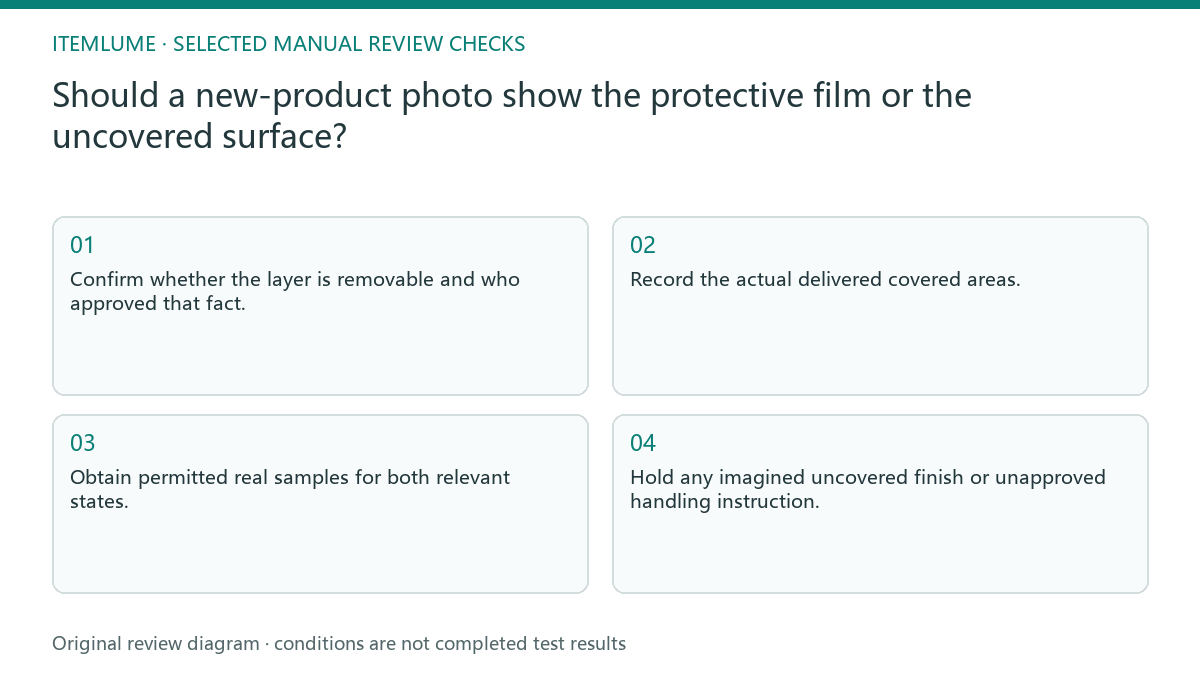
- Confirm whether the layer is removable and who approved that fact.
- Record the actual delivered covered areas.
- Obtain permitted real samples for both relevant states.
- Tie each photograph and statement to the correct state.
- Hold any imagined uncovered finish or unapproved handling instruction.
Fictional exercise: a glossy tray looks matte on arrival
This fictional exercise uses a tray shipped with a dull removable film. The concept shows only a glossy uncovered face, and an arrival reviewer thinks the shipped item is a different finish. The example is invented and does not describe a measured customer complaint.
The team obtains owner-approved photographs of both states and clarifies their roles. They do not ask AI to prove the hidden gloss from the covered image. If removability is still unconfirmed, they retain the covered-state evidence and pause the uncovered claim.
Approve arrival expectation and finish separately
Retain the layer identification, source samples and final state labels with the creative. If the supplier changes shipping protection, update the arrival information even when the product’s finished face remains the same. Review cleanup requests against this record before altering future images. Retain the state label when recropping for another channel. A close crop can remove the cue that explained the film, so compare the new image and caption rather than inheriting the full-image approval.
Stop when the advertised states match the real delivery and permitted appearance, with uncertain surface changes excluded. This is a product-representation check, not a safety instruction or automated CartVisual surface analysis. A new film or coating needs fresh confirmation rather than the previous template.
Covered versus uncovered states
| Observation | Manual check | Stop or approve |
|---|---|---|
| Layer purpose unknown | Ask product owner | Do not remove or erase |
| Shipping film confirmed | Record delivered areas | Arrival view approved |
| Uncovered finish | Use permitted actual sample | No imagined evidence |
| Shipping method changed | Review state labels | Renew arrival approval |
Use this matrix as a manual review record and add your own real evidence. Its conditions are not completed test results.
Sources and further reading
Recorded source-review dates are listed individually below. An undated source does not inherit the article’s publication date. Software and platform rules can change; check the current original before acting.
- CartVisual: editorial policy and product scope · Review date not separately recorded
- Product photography tips(Adobe Express) · Review date not separately recorded
- Samsung Gulf: Protective film versus polarizing film · Reviewed
- Photoroom: Repeatable product image workflow · Reviewed
Frequently asked questions
Can I call every clear layer protective film?
No. Confirm its purpose and removability with the owner’s documentation.
Can AI reveal the hidden surface?
A plausible reconstruction does not prove its real finish; obtain a supported sample.
Must I use both states as main images?
Choose roles based on buyer needs and current destination rules; this guide supplies no universal placement rule.
PREPARE ASSETS FOR YOUR NEXT STEP
Create supporting product assets in CartVisual.
Create new product creative assets in the workspace, then continue in your chosen tools. Third-party software procedures described in this guide take place in those applications; this workspace link does not imply an integration. Check current capabilities, account access and credit quotes.
Explore asset creation tools Check pricing and credits