 CartVisual
DIAGNOSTIC GUIDE / Image remix
How do I shorten a real product review without changing what the customer said?
Keep the customer’s meaning, conditions and source context when shortening a real review. A positive fragment can mislead if you remove the limitation that explains it. Retain the original wording in the review record, identify every omission, and ask the responsible owner to approve the excerpt and its permitted use. AI paraphrasing is not the customer’s exact quotation and does not create new performance evidence.
Read the whole review before extracting praise
Record the source, exact wording and product version referenced. Look for conditions, comparisons, negatives and time context. A customer may praise one use while excluding another, and that boundary belongs to the meaning rather than being disposable clutter.
Confirm the permission or other applicable publication basis through the merchant’s actual records; merchant approval alone does not establish the reviewer’s consent or other rights. This guide does not grant rights to republish a review or expose a customer’s identity. Keep personal information out of the creative unless its approved use is explicitly established.
Compare original and proposed excerpt side by side
Put the full passage next to the shortened wording and mark omissions. Ask whether an ordinary reader now hears a broader claim. Preserve a material limitation or choose a different excerpt; do not hide the condition in a separate place where it cannot qualify the displayed praise.
If AI rewrites rather than selects the original words, label it as an editorial proposal in the working record. Do not attribute its new wording as a direct customer quote. A review may report a person’s experience, but it does not independently prove a general claim for all buyers.
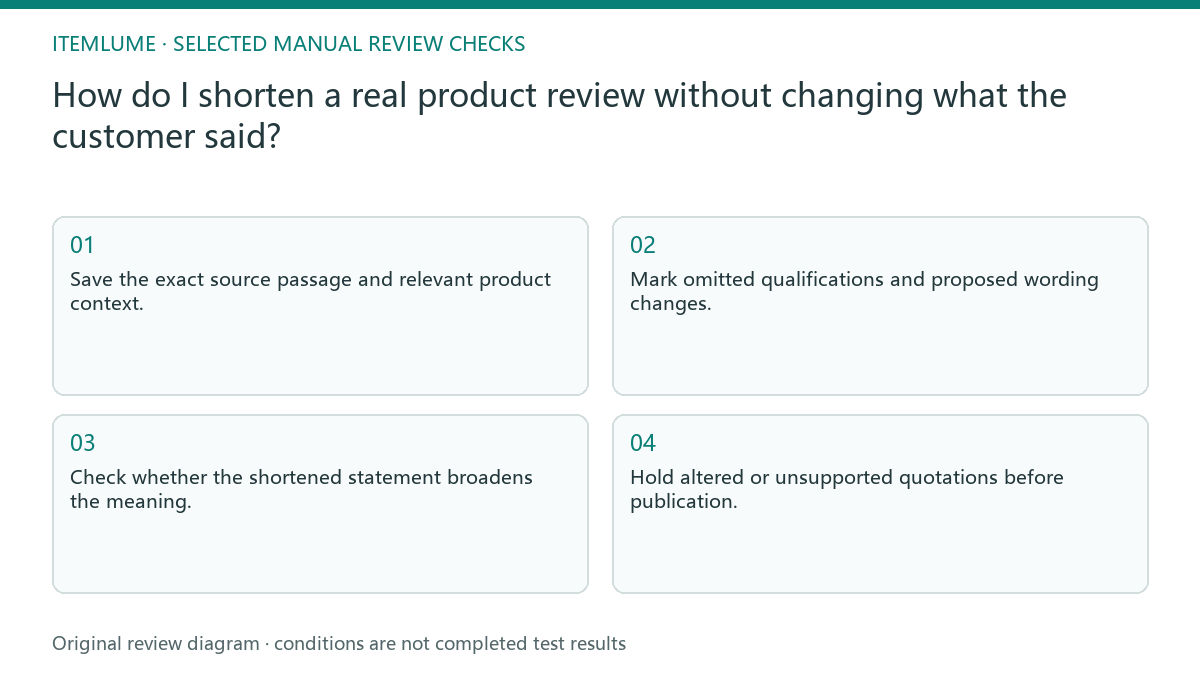
- Save the exact source passage and relevant product context.
- Mark omitted qualifications and proposed wording changes.
- Check whether the shortened statement broadens the meaning.
- Confirm the permitted excerpt and attribution with the responsible owner.
- Hold altered or unsupported quotations before publication.
Fictional exercise: “good on my desk” becomes a universal claim
Fictional practice passage: “Good on my desk, but too wide for my small bag.” The customer and passage are invented for training and must never be presented as real testimony. The exercise separates selecting original words from inventing a stronger claim.
| Proposed display | Decision for this exercise | Reason |
|---|---|---|
| “Good on my desk, but too wide for my small bag.” | Faithful full passage; actual publication rights and context would still require checking. | Retains the praised use and explicit limitation. |
| “Good on my desk” beside a bag-travel headline | Hold. | The combined asset suppresses the limitation material to the advertised use. |
| “Good everywhere.” | Reject as a quotation. | New words and a universal claim absent from the source. |
| Internal summary: the writer liked desk use but reported a small-bag fit problem | Label as an editorial paraphrase, not quoted customer wording. | A summary is a different text object; preserving meaning alone does not create republication rights. |
If space cannot hold a necessary qualification clearly, choose a different review or omit the testimonial rather than forcing a misleading fragment. A nearby headline, product photograph and caption belong to the same meaning check.
Keep excerpt approval tied to the asset
Save the approved excerpt, attribution scope and original reference with the final file. Recheck if the product changes or the quote moves into a different claim context. A sentence approved in a detailed gallery may imply something broader beside a bold performance headline. Preserve a link between every quoted fragment and the full passage. If separate fragments are combined, review the combined sentence again because their new proximity can imply something the original customer never expressed.
Release an excerpt only after source fidelity, permitted use, attribution and the combined advertisement’s claims have each been reviewed. CartVisual writing assistance does not verify reviews, obtain permissions or publish testimonial ads. Do not use this manual comparison as proof of endorsement authenticity, representative customer opinion or measured product results. UK CAP’s non-broadcast advertising guidance addresses genuine, relevant testimonials and misleading editing, with permission rules and exceptions for some published sources. Its scope is the UK framework; check the rules for the actual market and product category. This example does not make fictional testimony publishable.
Review-excerpt fidelity
| Observation | Manual check | Stop or approve |
|---|---|---|
| Praise with a limitation | Read complete passage | Preserve material condition |
| AI changes wording | Mark editorial proposal | Not direct quotation |
| Customer identity used | Check approved scope | Do not expose unknown rights |
| New performance headline | Review combined meaning | Renew contextual approval |
Use this matrix as a manual review record and add your own real evidence. Its conditions are not completed test results.
Sources and further reading
Recorded source-review dates are listed individually below. An undated source does not inherit the article’s publication date. Software and platform rules can change; check the current original before acting.
- CartVisual: editorial policy and product scope · Review date not separately recorded
- ASA / CAP: Testimonials and endorsements · Reviewed
Frequently asked questions
Can I remove every negative clause?
Not if doing so changes the meaning or scope of the remaining praise.
Is AI paraphrase a quote?
No. Keep exact quotations and editorial rewrites distinctly identified.
Can the fictional exercise be published as a review?
No. It is an explicitly invented training passage, not customer evidence.
PREPARE ASSETS FOR YOUR NEXT STEP
Create supporting product assets in CartVisual.
Create new product creative assets in the workspace, then continue in your chosen tools. Third-party software procedures described in this guide take place in those applications; this workspace link does not imply an integration. Check current capabilities, account access and credit quotes.
Explore asset creation tools Check pricing and credits