 CartVisual
DIAGNOSTIC GUIDE / A+ product pages
Does rechargeable mean the product's battery can be replaced?
Keep rechargeable and replaceable as separate facts. Charging describes how energy is restored; replacement describes whether and how the battery can be exchanged. State user replacement, service replacement or an unknown condition from the actual product documentation rather than inferring it from a charging port. Describe the confirmed capability narrowly, rather than combining plausible battery features into one promise.
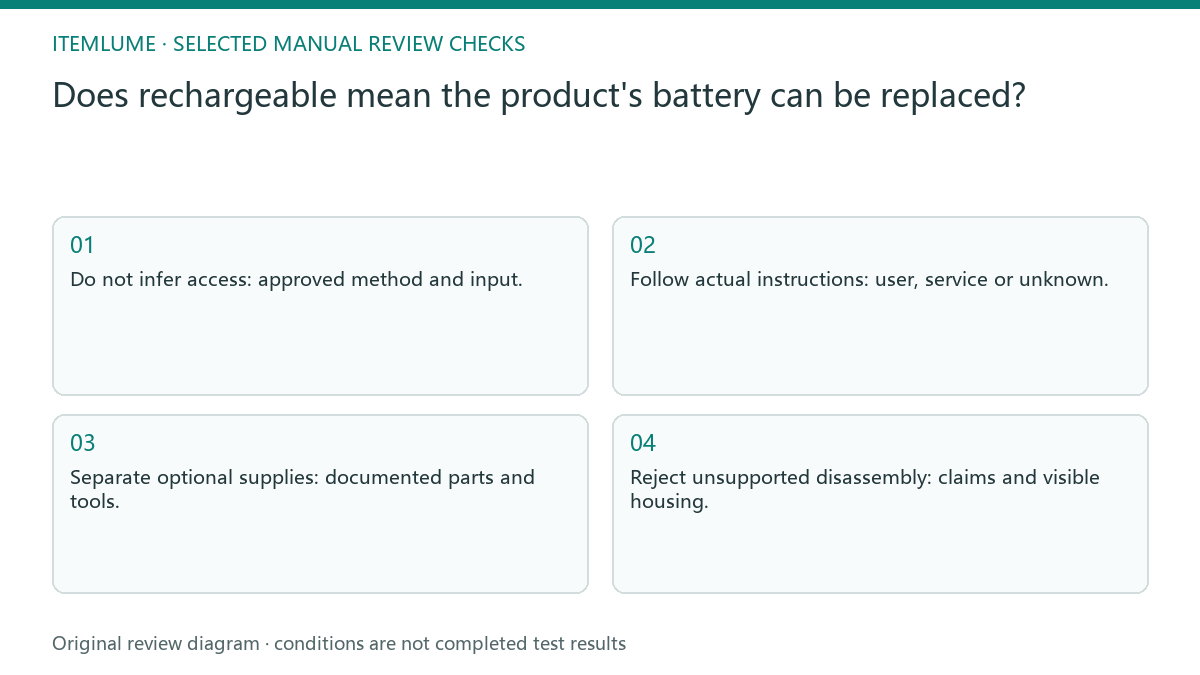
Rechargeable and replaceable are separate capabilities
A rechargeable product may have a sealed battery, a service-accessible battery or a user-accessible compartment. Those states affect the buyer’s maintenance expectations and do not follow automatically from connector shape. A generated exploded diagram or open housing is not evidence that customers are permitted to dismantle the item.
A charging port can suggest an external power route but does not by itself prove user-replaceable batteries. “Wireless” does not define the energy source either. Record the actual model’s approved documentation instead of copying battery features from a visually similar item.
Verify the actual power route and included parts
Read the manufacturer’s instructions for charging, battery access and service. Record who can replace the battery, what parts or tools are actually supplied, and which conditions remain unknown. Align the product copy and images with that record, excluding a user-replacement illustration unless the documentation genuinely supports it.
Make a short capability matrix: charging support, replacement support, included power parts and documented operating conditions. Keep every unknown explicit. Compare the image’s port and accessory depiction with the real item, and remove claims that have no supported row.
- Do not infer access: approved method and input.
- Follow actual instructions: user, service or unknown.
- Separate optional supplies: documented parts and tools.
- Reject unsupported disassembly: claims and visible housing.
Write a role-specific capability record
A real example of the distinction is Apple’s iPhone battery guidance: it describes rechargeable built-in batteries and separately discusses a repair-provider route. That demonstrates why charging and replacement responsibility need different records. It does not supply the policy for the fictional lamp or authorize its owner to open it.
| Field | What the seller must supply |
|---|---|
| Charging | Exact model, documented method/input and source revision |
| Replacement | User-permitted, service route, or not confirmed; actual supporting instruction |
| Included parts | Sold bundle’s battery, cable and adapter entries separately |
| Copy limit | Only the documented capability; no inferred door, runtime or safety claim |
For the fictional lamp, “rechargeable” can remain only when confirmed by its record; “user-replaceable battery” stays out while its procedure is unknown. “Not confirmed” is an internal evidence status, not proof the battery can never be serviced. Obtain the actual model guidance before choosing the customer-facing statement.
A wireless light with an unknown battery arrangement
Fictional exercise: a portable lamp has a charging connector but no confirmed user-replacement procedure. The draft says rechargeable using the approved input description and leaves replaceability unconfirmed. It does not show a customer opening the housing or promise a replaceable battery because the product looks simple.
The fictional light brief initially says “rechargeable and replaceable” because the body looks familiar. The seller confirms only the documented charging route, leaving replacement unapproved. The corrected copy narrows the feature instead of asking the image model to add a battery door. If a supplier confirms replacement, ask who may perform it and what documented scope applies before saying “user replaceable.” Do not describe disassembly from a generated back view. Keep unrelated endurance or safety claims out unless independently supported. Match the power-accessory picture to the sold bundle; staging does not prove included batteries.
Reject inferred battery features from the body image
Stop when access or service responsibility is unresolved. Do not offer disassembly instructions or choose a replacement battery from a photograph.
Stop when the power arrangement is unresolved. The supplier or appropriate product documentation must answer it; creative generation cannot inspect the hidden battery. The seller supplies verified maintenance information. CartVisual copy assistance can explain approved facts but cannot assess battery safety, certify a repair or identify a compatible part from appearance alone.
Charging to creative: decision worksheet
| Check | Evidence to record | Review action |
|---|---|---|
| Charging | Approved method and input | Do not infer access |
| Replacement | User, service or unknown | Follow actual instructions |
| Supplied items | Documented parts and tools | Separate optional supplies |
| Creative | Claims and visible housing | Reject unsupported disassembly |
Use this matrix as a manual review record and add your own real evidence. Its conditions are not completed test results.
Sources and further reading
Recorded source-review dates are listed individually below. An undated source does not inherit the article’s publication date. Software and platform rules can change; check the current original before acting.
- CartVisual: editorial policy and product scope · Review date not separately recorded
- Photoroom: How to make AI product images look real · Reviewed
- Apple: About genuine iPhone batteries · Reviewed
Frequently asked questions
Does a charging port prove replaceable batteries?
No. Charging and user replacement need separate documentary support.
Can “wireless” identify the battery type?
No. Verify the actual power arrangement for the model.
May AI add a battery door to support the claim?
No. Correct unsupported copy instead of inventing physical features.
PREPARE ASSETS FOR YOUR NEXT STEP
Create supporting product assets in CartVisual.
Create new product creative assets in the workspace, then continue in your chosen tools. Third-party software procedures described in this guide take place in those applications; this workspace link does not imply an integration. Check current capabilities, account access and credit quotes.
Explore asset creation tools Check pricing and credits