 CartVisual
DIAGNOSTIC GUIDE / A+ product pages
Which product features need a paid subscription after buying the hardware?
Explain hardware purchase and ongoing service access separately. Buyers need to know which features work without a paid plan, which require one and whether the pictured feature is included in the shown price. Use the current seller-approved feature and pricing record; do not guess from the app screenshot. The pictured capability must carry its actual access dependency beside the main product promise.
The hardware price may not include the shown service
A device can exist physically while particular online services depend on an account, plan or active subscription. A beautiful interface does not establish access entitlement. Optional upgrades and required core services create different purchase expectations, so the page should not hide all of them behind one vague “app supported” phrase.
Identify the exact capability being promoted, rather than saying “all smart features.” Basic operation, cloud recording and another service may have different access conditions. A picture of an app screen can imply that its function comes with the hardware even when the real offer requires a separate plan.
Map the pictured feature to its access requirement
List the actual features against one-time hardware payment, account requirements and documented recurring plans. Mark included periods and regional or version scope only when confirmed. Check the main creative and nearby text together, especially where the hero demonstrates a paid feature, and route unresolved prices to the seller rather than fabricating them.
Obtain the current plan scope and separate one-time purchase from ongoing service charges. State confirmed conditions beside the advertised function. Unknown prices, trials or regional availability stay unresolved; do not invent them to complete a comparison table.
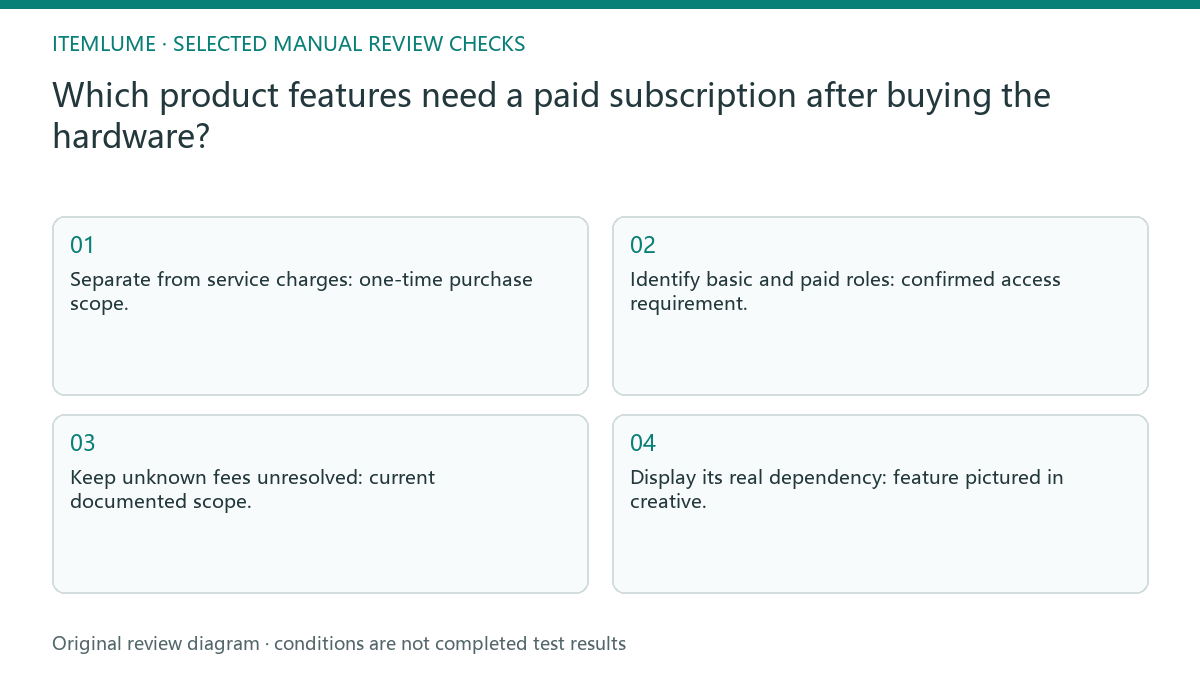
- Separate from service charges: one-time purchase scope.
- Identify basic and paid roles: confirmed access requirement.
- Keep unknown fees unresolved: current documented scope.
- Display its real dependency: feature pictured in creative.
A camera scene implies a recording feature
Fictional exercise: a connected device shows a live dashboard in an ad. The seller’s actual brief separates its confirmed basic functions from an optional remote-service plan. The creative labels the shown feature’s requirement and does not promise lifetime access. No current tariff or entitlement is inferred in this exercise.
The fictional camera artwork suggests continuous recording. The seller checks whether the pictured recording route needs a plan and revises the creative to reflect the confirmed dependency. This is a promise review, not an account activation or a test of the service’s actual performance. If a feature has a trial, distinguish trial access from continuing access using confirmed terms. Do not treat a demonstration account as a buyer’s entitlement. Record the supported region and plan only when documented, leaving unconfirmed availability out of the promotion.
Separate live view, event history and continuous recording
Google’s current Nest help distinguishes live viewing, event history and 24/7 history by camera model and subscription. It also documents model/power restrictions, including features that a paid plan alone cannot enable. This is a source example of why a camera picture must map to an exact capability, not a promise about the fictional device or all cameras.
| Promoted capability | Confirm separately |
|---|---|
| Live view | Actual supported model, app/account/network conditions |
| Saved event clips | Plan or included entitlement, retention and region |
| Continuous history | Model capability, power/setup requirements and plan |
| Trial access | Start/end, continuing access and actual renewal terms |
Use a dated source for the market and plan name actually offered. A demonstration account or trial screenshot does not establish the purchaser’s continuing entitlement. If the named feature or current price cannot be confirmed, remove that access promise from the creative rather than inventing a recurring fee or assuming a plan removes hardware limitations.
Disclose dependencies before promoting the feature
Stop if the current plan, included term or core-feature dependency is unknown. Remove the unsupported access promise until the responsible owner confirms it.
Do not publish the feature promise while its access condition is unknown. A smaller subscription note cannot repair a main statement claiming the capability is included unconditionally. The seller and service provider define entitlement and charges. CartVisual can help draft a transparent feature table but cannot provision subscriptions or verify a customer’s account access.
Hardware to shown promise: decision worksheet
| Check | Evidence to record | Review action |
|---|---|---|
| Hardware | One-time purchase scope | Separate from service charges |
| Feature | Confirmed access requirement | Identify basic and paid roles |
| Plan terms | Current documented scope | Keep unknown fees unresolved |
| Shown promise | Feature pictured in creative | Display its real dependency |
Use this matrix as a manual review record and add your own real evidence. Its conditions are not completed test results.
Sources and further reading
Recorded source-review dates are listed individually below. An undated source does not inherit the article’s publication date. Software and platform rules can change; check the current original before acting.
- CartVisual: editorial policy and product scope · Review date not separately recorded
- Photoroom: How to make AI product images look real · Reviewed
- Google Nest: Event and 24/7 video history · Reviewed
Frequently asked questions
Does buying the hardware include every app feature?
Not necessarily. Check the exact promoted feature against current plan conditions.
Can I guess a monthly fee for the table?
No. Leave unconfirmed fees unresolved and obtain actual terms.
Does this guide activate or test a subscription?
No. It reviews the promise; account access and service performance are separate.
PREPARE ASSETS FOR YOUR NEXT STEP
Create supporting product assets in CartVisual.
Create new product creative assets in the workspace, then continue in your chosen tools. Third-party software procedures described in this guide take place in those applications; this workspace link does not imply an integration. Check current capabilities, account access and credit quotes.
Explore asset creation tools Check pricing and credits