 CartVisual
DIAGNOSTIC GUIDE / Product images
Do different backgrounds count as different product angles for Douyin Shop?
Changing a background does not create a new product viewpoint. If a current listing requirement asks for different angles, three copies of the same front-facing product do not establish its side or back. Check the actual category instruction and map each proposed image to a real viewpoint. Do not invent hidden construction just to fill the gallery.
Define the view, not the scene decoration
For each candidate, note which surfaces are visible: front label, side panel, back closure, or top. Compare those surfaces rather than counting different tables and colors. A new setting can be a useful lifestyle variation, but it should not be labelled a rear view when the same front pixels remain.
Read the current Douyin category guidance in the seller account before deciding which views are required. Public publishing material is a research starting point, not a universal gallery count. Keep the exact requirement with the image list so the team does not confuse a quantity request with an angle request.
Link each viewpoint to evidence
Use real photographs or manufacturer-approved references for the actual SKU. A front image does not prove the position of rear screws, seams, a zipper, or a connector. An AI-generated rotation may be visually plausible while adding incorrect construction. Review hidden surfaces as separate factual claims.
If a requested view lacks evidence, arrange another real photograph or ask the merchant for a trusted source. Do not fill the slot with a speculative render and call it a documented angle. CartVisual can help prepare images from references, but it cannot certify an unseen side from a single product picture.
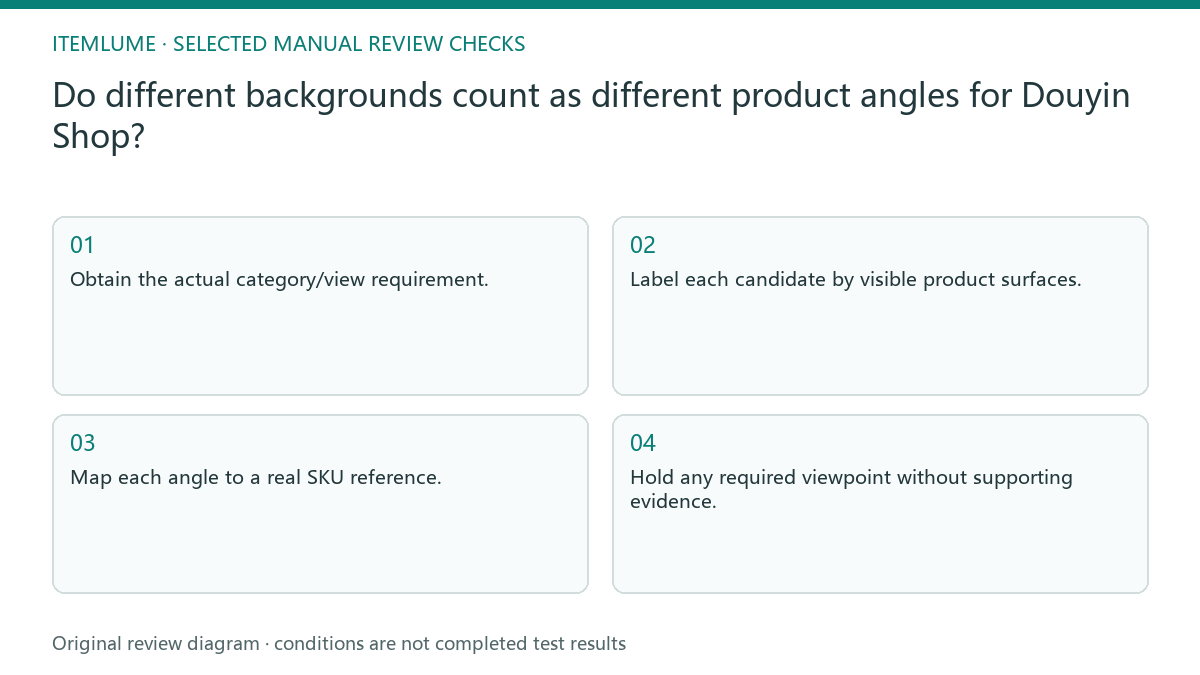
- Obtain the actual category/view requirement.
- Label each candidate by visible product surfaces.
- Map each angle to a real SKU reference.
- Inspect construction details on newly visible surfaces.
- Hold any required viewpoint without supporting evidence.
A fictional bag gallery
Fictional exercise: a seller has three front views of a bag on a desk, a bench, and a white background. The images are visually different scenes but show the same front panel. The review records one viewpoint and three settings. This is an exercise, not a moderation test or a claim about a particular shop.
The merchant then supplies a real side photograph and a rear photograph. Their seams and straps become reference evidence for distinct views. If those photos belong to another color or model, stop and request the matching SKU instead. The additional image count alone cannot resolve a product identity mismatch.
Give scene variations and view evidence separate IDs
For the fictional bag, label the three front candidates F1-desk, F1-bench and F1-white, all tied to the same front reference. Label the later supported photographs S1-side and B1-back only after confirming the actual SKU and construction. This record describes evidence coverage, not a platform-approved minimum count.
| Image ID | New surface or detail | Reference and decision |
|---|---|---|
| F1-desk / bench / white | Same front panel | One view, three scene alternatives |
| S1-side | Side seam and strap attachment | Same-SKU side photograph required |
| B1-back | Rear panel and closure | Same-SKU rear photograph required |
| Mirrored front | No newly observed hidden construction | Do not count as proof of the other side |
Record the rule title/version, category, image role and actual view requirement separately from this map. The public help link did not provide readable rule text during this review, so no current mandatory count or placement is asserted here. Keep that platform decision pending until the merchant obtains the applicable instruction.
Keep scene variety in the correct role
Place lifestyle alternatives where the actual platform instructions allow them, while retaining required product evidence in its proper slot. Review the final gallery order and thumbnails: a rear view hidden behind three similar fronts may be available but still difficult for a buyer to find.
An upload acceptance is not proof that every view is truthful. The merchant assigns and publishes the reviewed images manually in Douyin Shop; image preparation does not confirm listing placement or account acceptance. Stop when a requirement or source remains unclear, and do not present creative background changes as proof of all-around product construction.
Viewpoint-to-reference map
| Candidate | Evidence question | Label |
|---|---|---|
| Front on new table | Are new product surfaces visible? | Scene variation |
| Actual side photograph | Does SKU match? | Supported side view |
| Generated rear only | Is real rear reference available? | Unverified until supplied |
| Same front crop repeated | Does crop reveal another angle? | Duplicate viewpoint |
Use this matrix as a manual review record and add your own real evidence. Its conditions are not completed test results.
Sources and further reading
Sources for this page were checked on . Platform rules can change; verify the current source before publishing. Prompt examples and workflow recommendations are CartVisual editorial guidance, not independently measured results.
Frequently asked questions
Do three backgrounds mean three angles?
No. Background variety and product viewpoints are separate properties.
Can AI infer the missing back?
It can imagine one, but that does not establish the true structure of the offered product. Obtain a real reference.
How many angles are mandatory?
Check the current category and account instruction. This guide does not supply a universal required count.
PREPARE ASSETS FOR YOUR NEXT STEP
Create supporting product assets in CartVisual.
Create new product creative assets in the workspace, then continue in your chosen tools. Third-party software procedures described in this guide take place in those applications; this workspace link does not imply an integration. Check current capabilities, account access and credit quotes.
Explore asset creation tools Check pricing and credits