 CartVisual
DIAGNOSTIC GUIDE / A+ product pages
Which personalization fields should buyers confirm before an Etsy proof is made?
Define every variable needed for the actual personalized design before asking the buyer to approve a proof. Separate required values, optional values and intentionally omitted elements. A supplied name does not authorize AI to invent a date, relationship or spelling. Tie the proof to the real order record, and verify what the current Etsy workflow collected rather than assuming the design template has captured every field.
Inventory variables by design role
List the design roles—name line, date line, message or symbol—and map each to the input actually collected for this listing and order. Etsy’s current personalization help describes typed fields and required/optional controls; inspect the merchant’s real configuration rather than assuming one free-text box contains every template variable. Record field role, required status, literal confirmed order value, permitted omission and proof revision. This guide has not tested an account or connected to order data.
Keep the buyer’s literal input separate from a normalized or proposed display. A spelling correction or date interpretation needs confirmation, not an automatic replacement. Record the order identity and selected variant so similar customer names cannot accidentally share a proof.
Resolve missing values before filling artwork
Compare the actual order input with the variable inventory. If a required date is absent, contact the buyer through the merchant’s permitted current workflow or hold the proof. An optional date can be omitted only according to the owner-approved design arrangement.
Do not populate missing fields with today’s date, a sample name or a value from another order. Keep illustrative template text clearly outside the customer proof. AI can help format confirmed wording, but it does not know an absent personal fact and cannot authorize order changes.
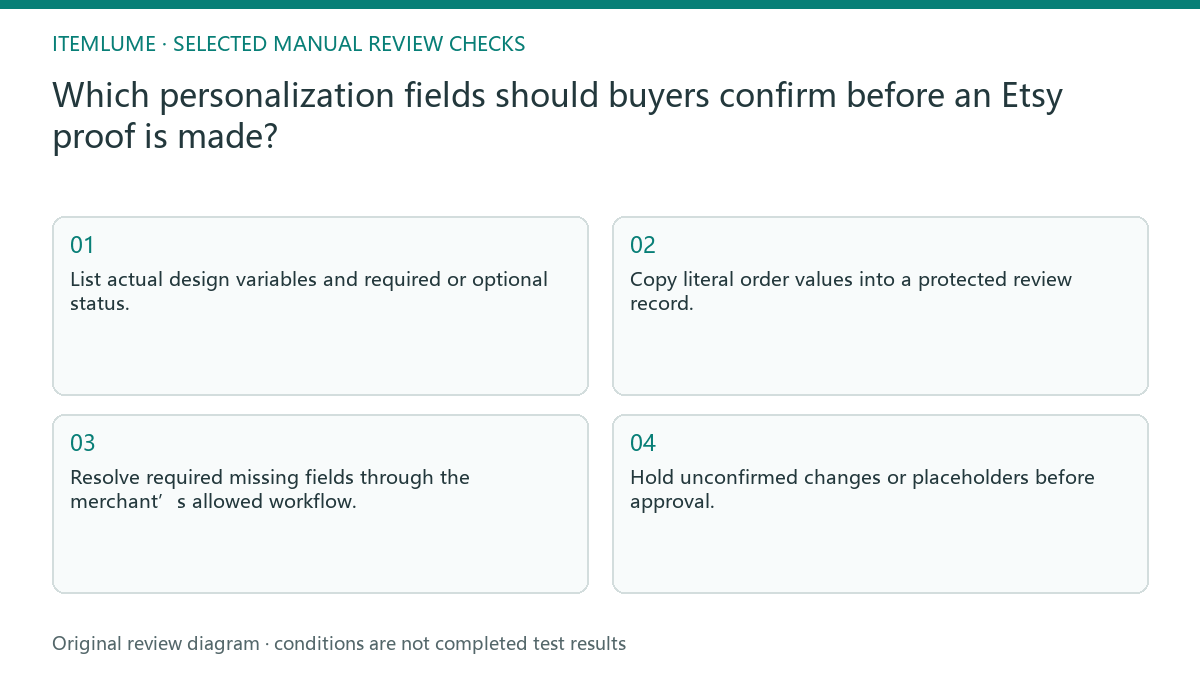
- List actual design variables and required or optional status.
- Copy literal order values into a protected review record.
- Resolve required missing fields through the merchant’s allowed workflow.
- Match the proof text to confirmed values character by character.
- Hold unconfirmed changes or placeholders before approval.
Fictional exercise: a date line has no buyer value
This fictional exercise uses a personalized keepsake template with a required name and optional date. The order contains only a name, but a draft inserts the template’s sample date. The situation is invented and does not describe an actual Etsy order or customer.
The team removes the sample value and applies the approved date-omission arrangement, or asks for confirmation if that arrangement is unknown. They then compare the name exactly. The stopping rule is a proof supported by this order’s values, not a visually complete-looking layout.
Close input completeness before proof approval
Save the confirmed variable record with the proof revision and buyer-confirmation status. Keep private order information out of public examples. A later request to alter a name or add a date creates a new text version that needs its own exact comparison. Check omitted fields on the proof image, not just in the variable sheet. An old date can remain baked into a template background even after its text field is marked blank in the order record.
This guide covers gathering inputs before the separate proof-approval process. Stop when required values are confirmed and optional omissions follow the agreed design. CartVisual does not synchronize Etsy orders, message buyers or grant production approval; those are external merchant responsibilities.
Order-variable completeness
| Observation | Manual check | Stop or approve |
|---|---|---|
| Required name | Copy literal confirmed value | No assumed correction |
| Optional date missing | Check omission arrangement | No invented date |
| Template sample text | Separate from order values | Remove before proof |
| Changed buyer input | Create new text version | Renew exact comparison |
Use this matrix as a manual review record and add your own real evidence. Its conditions are not completed test results.
Sources and further reading
Recorded source-review dates are listed individually below. An undated source does not inherit the article’s publication date. Software and platform rules can change; check the current original before acting.
- CartVisual: editorial policy and product scope · Review date not separately recorded
- Etsy Help: How to Offer Personalized Listings · Reviewed
Frequently asked questions
Can AI fill a missing date?
No. It must be confirmed or omitted under the approved arrangement.
Does Etsy always collect every template variable?
Do not assume that; inspect the actual order and current merchant workflow.
Is a complete-looking proof ready for production?
Input completeness and buyer proof approval are separate checks.
PREPARE ASSETS FOR YOUR NEXT STEP
Create supporting product assets in CartVisual.
Create new product creative assets in the workspace, then continue in your chosen tools. Third-party software procedures described in this guide take place in those applications; this workspace link does not imply an integration. Check current capabilities, account access and credit quotes.
Explore asset creation tools Check pricing and credits