 CartVisual
Product images / DECISION CHECK
Can an AI macro image prove the real weave or stitching of my product?
A generated close-up can illustrate material, but it cannot establish an unseen weave, stitch count or construction detail. Use a real source close-up when the image is meant to prove those facts. Review generated macro imagery as a creative candidate, not a laboratory observation.
What our headphone result shows
During the actual October 9–10 local CartVisual test, the detail role produced a 1672 × 941 image of the headphone ear cushion. It was a single material-focused view without an extra whole-product collage or added copy. The result followed the requested presentation direction, but it was generated material imagery, not a crop of the original reference pixels.
The project-owned source showed the headphone and visible cushion material; it did not prove every tiny thread at the new magnification. We did not measure a thread count or claim that the generated texture exactly matched a physical sample. A convincing close-up is insufficient evidence for either claim.
Inspect the actual output
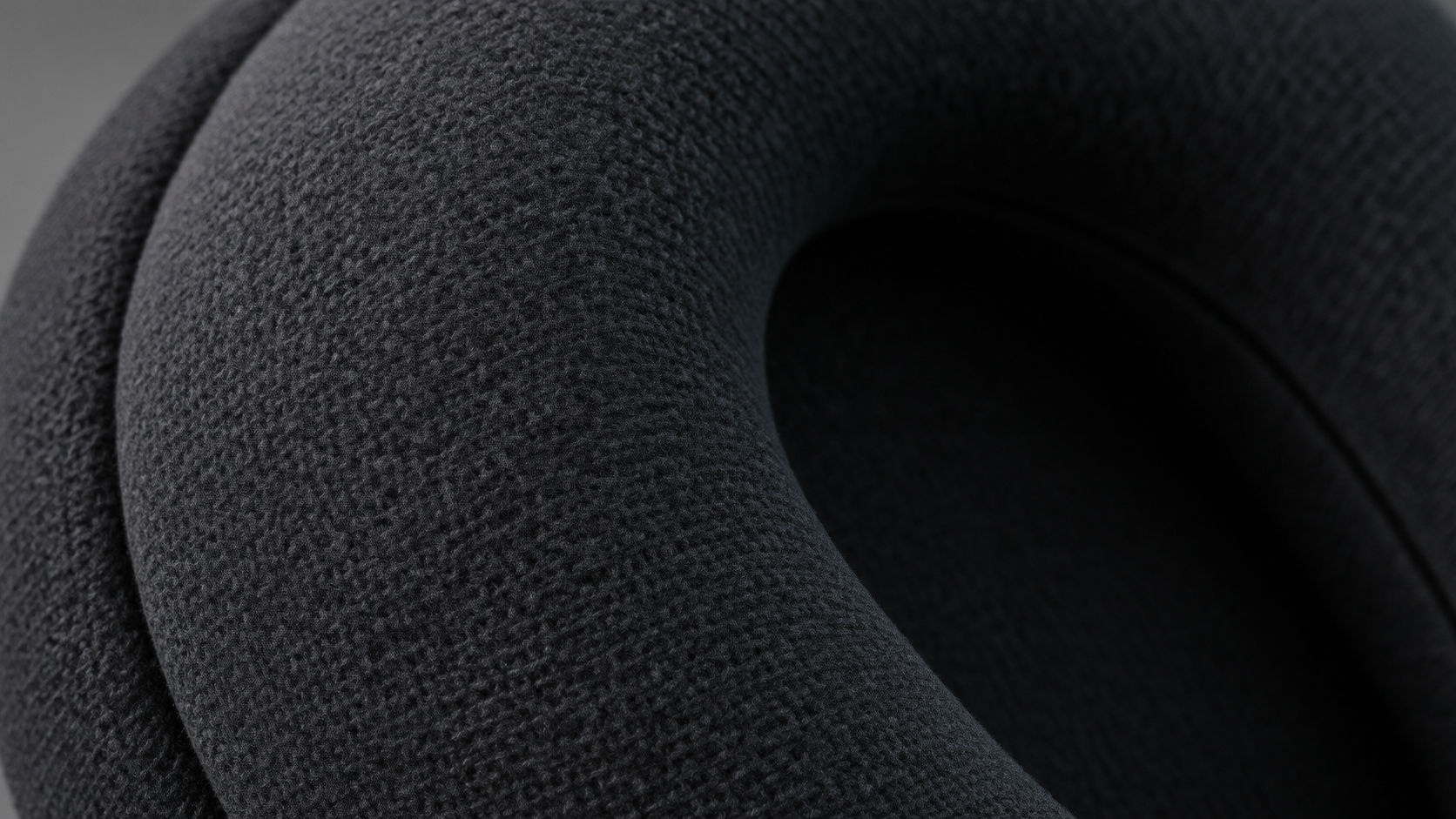
Open the source and output together. Compare the visible seam path, cushion shape and material family first. If the actual source does not resolve the smaller texture, mark that portion as unverified rather than treating plausible detail as recovered evidence.
Choose the method by the buyer question
| Buyer question | Better evidence | Generated image role |
|---|---|---|
| What is the overall material appearance? | Approved reference and factual description | Reviewed illustration |
| What stitch pattern does this exact item use? | Sharp real close-up | Do not invent construction proof |
| Are these surface marks present? | Actual item photograph | Reject added or removed condition evidence |
| How might a detail layout look? | Real source plus design brief | Concept exploration |
Photoroom’s realism guidance distinguishes believable appearance from product fidelity. Apply that distinction to the specific feature a customer is trying to inspect. A visually attractive texture can still misdescribe the merchandise.
Release with the right claim
If the detail carries a construction claim, obtain a real close-up and use it in an appropriate editing or crop workflow. If it is a reviewed illustrative material image, avoid presenting it as an exact micrograph or measured proof. CartVisual’s detail generation does not certify fabric construction. Retain the actual reference, generated version and the explicit approval boundary together.
A bounded caption for this retained file is “Generated illustrative ear-cushion detail from the project demonstration.” It should not say “Actual measured weave,” “recovered original threads,” or give a stitch count. The generation occurred in the local candidate; it was not a physical inspection of a sold fabric SKU. Its 1672 × 941 dimensions describe the output file, not the optical resolving power of the source photograph.
For your own commercial item, write the buyer’s specific claim next to the evidence: overall material appearance can use a reviewed illustration with a truthful label; exact weave, a seam defect or manufacturing construction requires an adequate real-item close-up and its scope. If that reference is missing, leave the claim unresolved rather than magnify generated pixels. Use upscaling evidence review for inferred enhancement, or reference focus and sharpening review when the source itself is insufficient. The Photoroom article is general fidelity background, not independent verification of this CartVisual case.
Sources and further reading
Recorded source-review dates are listed individually below. An undated source does not inherit the article’s publication date. Software and platform rules can change; check the current original before acting.
- CartVisual: editorial scope and evidence policy · Review date not separately recorded
- Photoroom: realism and product fidelity review · Reviewed
Frequently asked questions
Was the tested detail an original-photo crop?
No. It was a newly generated macro presentation.
Can AI reveal invisible stitches accurately?
Do not treat inferred detail as proof; obtain a sharp real reference.
Can the result still be useful?
Yes, as a reviewed creative illustration within a truthful claim boundary.
PREPARE ASSETS FOR YOUR NEXT STEP
Create supporting product assets in CartVisual.
Create new product creative assets in the workspace, then continue in your chosen tools. Third-party software procedures described in this guide take place in those applications; this workspace link does not imply an integration. Check current capabilities, account access and credit quotes.
Explore asset creation tools Check pricing and credits