 CartVisual
PRACTICAL ANSWER / Assets & tasks
Can I link readers straight to the answer inside a long product guide?
Yes. Link directly to a clearly labeled answer section when the destination explains the issue on its own. Use a stable anchor, descriptive link text, and enough surrounding context that readers understand what they are opening. Treat the link as navigation help, not as a promise of indexing, ranking, or a separate answer page.
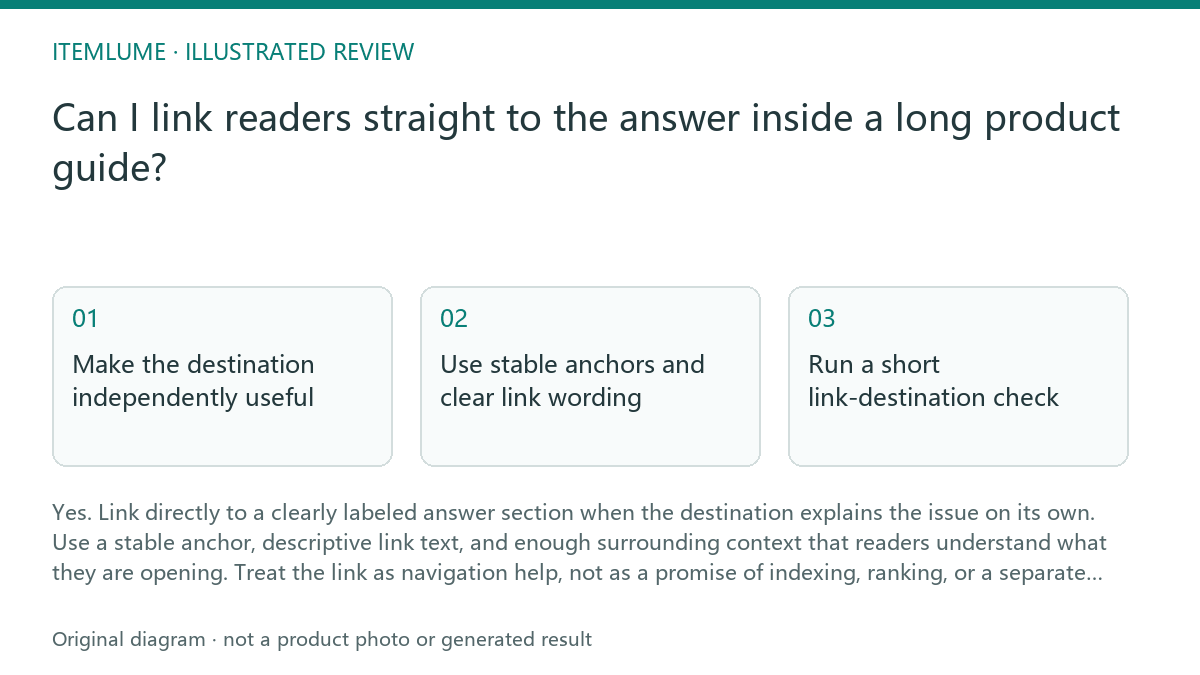
Make the destination independently useful
A direct link works best when the destination is a complete section rather than a sentence fragment. Give the section a specific heading, answer the question near the start, and include the condition or exception that determines what the reader should do next. A support reply can then link to that section without forcing the reader to scan from the article top.
Keep the destination inside the guide's normal reading flow. The section should still make sense when reached from a search result, a shared message, or an internal link. Do not create a thin fragment solely because it can receive a URL; the practical answer should remain visible in the page content.
Use stable anchors and clear link wording
Choose a meaningful, stable section ID and keep it when the heading is refined. For a real example on this page, link directly to these stable-anchor instructions. MDN explains that the fragment is handled by the client after the resource is retrieved, not sent to the server as another path. Check the current HTML for the exact ID and verify the destination in the target browser; the existence of this static ID is not a claim of a completed cross-browser test.
Link text should tell readers what they will find: “Check the care requirements before choosing this finish” is stronger than “click here.” The link should identify the task or answer, while the surrounding sentence explains why the destination matters. This improves navigation without implying that the fragment is a new indexable page.
Run a short link-destination check
Before publishing, test the link as a reader would. Confirm that the anchor lands at the intended heading, the answer is visible without confusing layout shifts, and the section contains enough context to stand alone. Check both the source link and any support reply that reuses it.
A useful review separates workflow quality from documented functionality. The workflow advice is to make the answer easy to reach and understand. It does not establish that search engines will index the fragment separately, display it as a special result, or reward the page with a ranking change.
- Open the link from the article and confirm it lands on the intended heading.
- Read only the destination section and verify that the answer is understandable.
- Test the link after a heading or paragraph edit to confirm the anchor remains stable.
- Check that the support reply describes the destination accurately.
- Stop when the section is independently clear and no ranking or indexing claim is being made.
Review the support path before sharing
A support response should match the reader's immediate problem. If the reader asks about care, link to the care-check section rather than the guide's introduction. If the answer depends on product type, finish, or use case, include that qualifier in the reply so the direct link does not appear broader than the section really is.
Keep one canonical guide as the source of truth. Do not duplicate the same answer across multiple short pages merely to create more link targets. A direct section link is useful because it reduces navigation effort while preserving the context, qualifications, and related checks that make the answer reliable.
Topic-specific review
| Observation | Next check | Pass condition |
|---|---|---|
| A support reply points to a care-check section | Open the link and read the heading and first paragraph | The section answers the care question without requiring a return to the top |
| The anchor uses a descriptive slug | Edit nearby copy and reopen the saved link | The link still reaches the intended section |
| The link text says “read more” | Replace it with wording naming the task or answer | Readers can predict the destination before opening it |
| The guide is treated as a ranking shortcut | Remove claims about separate indexing or guaranteed visibility | The page presents the link as navigation only |
Sources and further reading
Recorded source-review dates are listed individually below. An undated source does not inherit the article’s publication date. Software and platform rules can change; check the current original before acting.
- CartVisual: editorial scope and evidence · Review date not separately recorded
- Google Search Central: AI search optimization · Review date not separately recorded
- Google Search Central: Article structured data · Review date not separately recorded
- MDN: URI fragment · Reviewed
Frequently asked questions
Will a section link create a new search result page?
No. It points to a location within the existing guide. It does not create a separate index page or prove that search engines will show the fragment independently.
Should I link to the heading or the exact answer sentence?
Link to the section heading or a stable container when possible. The heading gives readers context and leaves room for the answer to expand without making the link feel misplaced.
Can I use the same anchor in a support reply?
Yes, when the linked section directly addresses the support question. Keep the reply specific about what the reader will find and check the link again after substantial page edits.
PREPARE ASSETS FOR YOUR NEXT STEP
Create supporting product assets in CartVisual.
Create new product creative assets in the workspace, then continue in your chosen tools. Third-party software procedures described in this guide take place in those applications; this workspace link does not imply an integration. Check current capabilities, account access and credit quotes.
Explore asset creation tools Check pricing and credits