 CartVisual
Assets & tasks / PRACTICAL ANSWER
What should I recheck when a model update changes my usual product-image results?
Replay a controlled reference suite and record changed conditions. Do not rewrite the entire prompt library from one surprising output.
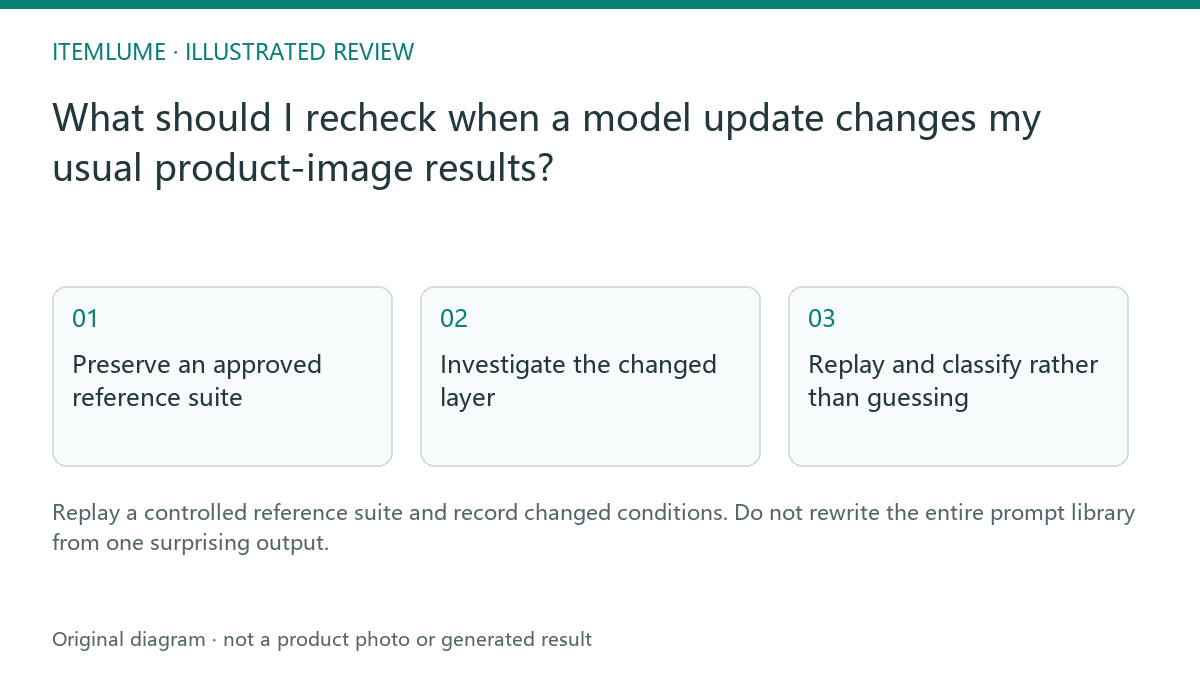
Preserve an approved reference suite
A fictional seller keeps three owned products with approved source files, factual briefs and examples of acceptable output. In the exercise, the bottle label starts drifting after a reported update. If no provider or configuration change is confirmed, record “changed results under investigation” rather than asserting an update occurred. The preserved suite provides a specific comparison point. It does not guarantee that a stochastic generator will reproduce the exact same pixels.
Record model identifier, tool version when available, selected quality and source hashes in an internal record. Do not include credentials in the suite or publish private customer references.
Investigate the changed layer
| Layer | Question | Evidence |
|---|---|---|
| Input | Did source or crop change? | Actual file comparison |
| Prompt | Did the stored brief change? | Approved text version |
| Model/configuration | Did selected routing/settings change? | Current supported configuration |
| Delivery | Was output resized or recompressed? | Downloaded file comparison |
A changed display thumbnail may conceal a delivery defect rather than a model regression. Compare the actual downloaded result before attributing the problem. Keep the investigation focused on observed conditions.
Replay and classify rather than guessing
If a bounded replay is authorized, keep the approved product/task pairs and record all attempts, technical failures and factual defects using the pilot’s denominator rules. A public model name can stay the same while configuration changes; conversely, a different image alone does not establish a backend update. Record available non-secret model/settings identifiers and the review date.
| Fictional observation | Controlled next check | Supported conclusion |
|---|---|---|
| Thumbnail text looks soft; original download remains readable | Compare the downloaded file and the actual displayed derivative at sensible scale. | Investigate delivery/display; model regression is not established. |
| Reference file differs from the approved suite | Restore the authorized source and record crop/orientation/preparation differences. | The input condition changed; a byte hash alone does not identify its visual effect. |
| Inputs/task match; several outputs show the same label defect | Record actual attempts, rejects, configuration and changes before a narrowly scoped adjustment. | A local observed failure pattern, not a universal provider benchmark or proven root cause. |
| Prompt and source both changed before replay | Separate the changes where feasible and preserve each version. | The replay cannot isolate which change explains the result. |
Version one justified adjustment at a time when diagnosing a cause; do not change product facts to obtain a prettier image. Keep the previous accepted suite and reject log. The public headphone example is one development test with selected outputs, not this regression experiment. No replay was run for this article and no monitoring service is created by the worksheet.
Update only the affected guidance
If a new setting improves the relevant task, approve it for that scope and preserve the earlier version. Broader catalog rollout needs its own review. CartVisual can use configured models, but it cannot promise provider behavior remains fixed indefinitely. The suite is a reproducible decision record, not an automatic monitoring service or a guarantee of pixel-identical regeneration.
Sources and further reading
Recorded source-review dates are listed individually below. An undated source does not inherit the article’s publication date. Software and platform rules can change; check the current original before acting.
- CartVisual: editorial scope and evidence · Review date not separately recorded
- CartVisual: owned headphone reference and actual image test · Reviewed
Frequently asked questions
Should my replay match every pixel?
No. Evaluate the defined product and task invariants.
Does one changed output prove a regression?
No. Investigate conditions and a bounded sample.
Is this automatic provider monitoring?
No. It is a manual review workflow.
PREPARE ASSETS FOR YOUR NEXT STEP
Create supporting product assets in CartVisual.
Create new product creative assets in the workspace, then continue in your chosen tools. Third-party software procedures described in this guide take place in those applications; this workspace link does not imply an integration. Check current capabilities, account access and credit quotes.
Explore asset creation tools Check pricing and credits