 CartVisual
AI models / PRACTICAL ANSWER
What should I check when one model sheet contains a face close-up and three full-body views?
Check the same identity and body proportions across all views. A correct four-panel layout does not establish a coherent character.
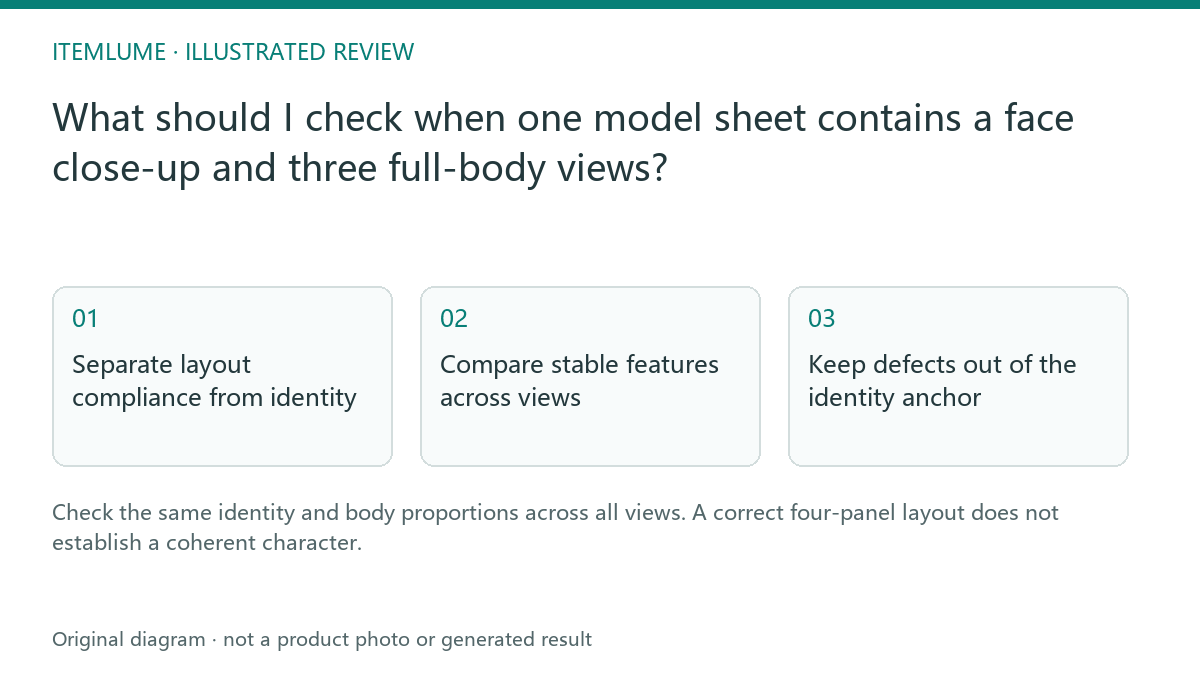
Separate layout compliance from identity
A fictional brand requests a large face close-up on the left and front, side and back full-body views beside it. The sheet has the expected arrangement, but the side view is much taller and has a different hair length. The layout passes; the identity reference does not. Mark these as separate approval questions.
Use a fictional or appropriately authorized reference. Do not infer private attributes or describe the image as a verified real person. The current four-view workflow retains the source sheet for reference use while the picker and its download action present a derived front view. A layout declaration or a successfully produced preview is not an automated check that the face, side and back are visually coherent.
Compare stable features across views
| Feature | Cross-view check | Action |
|---|---|---|
| Hair | Length, silhouette and parting remain coherent | Reject unexplained changes |
| Body | Head-to-body relationship and height presentation | Check perspective before judging |
| Clothing | Same reference outfit and pieces | Reject substituted garments |
| Face | Close-up matches visible front identity | Review obvious drift |
The table is a manual coherence review, not a biometric identity test. Perspective and pose can alter appearance, so compare plausible relationships rather than demanding identical screen measurements.
Keep defects out of the identity anchor
Review the full sheet only when you have the authorized complete source available, such as your retained upload original. The ordinary picker/front-view download is not an export of all four views. If only that preview is available, record what you can see and mark side/back coherence “not reviewed”; do not invent a hidden-view pass or look for another user’s private files.
| Available evidence | Permitted review | Stop condition |
|---|---|---|
| Authorized complete four-view source | Compare hairstyle, outfit and plausible body relationships across close-up/front/side/back. | A side view has a different garment or an extra strap not supported by the same reference. |
| Front preview only | Check the visible front and selected model identity. | Full-sheet consistency is required but the necessary views are unavailable. |
| Preview extraction fails | Retry the actual preview loading step or resolve the source/format issue through the appropriate workflow. | A failed crop is treated as a new person, or a full private sheet is substituted as a public preview. |
For a real cross-view defect, keep the approved original and document the failed view before an authorized correction or new generation. Do not overwrite the only complete source with a front crop. Perspective, body pose and image scale can affect apparent height, so identical pixel measurements are not a biometric rule. If the complete review cannot be performed, hold uses that depend on its unverified side/back details rather than claiming the whole reference is approved.
See how the front preview and internal source differ. This visual-coherence review neither verifies a real person’s identity nor certifies body measurements.
Review later output independently
An approved sheet improves the clarity of the brief; it does not guarantee identical identity in every image or video. Compare later output with the relevant views and the actual product. The current H3 video path uses independent scene first frames; this guide does not claim direct multi-view biometric conditioning in that video call.
Sources and further reading
Sources for this page were checked on . Platform rules can change; verify the current source before publishing. Prompt examples and workflow recommendations are CartVisual editorial guidance, not independently measured results.
Frequently asked questions
Does correct panel count prove identity consistency?
No. Inspect the person and clothing across views.
Is this a biometric verification?
No. It is a fictional/authorized visual coherence review.
Does the user need to see the full sheet?
The picker and front-view download show a derived front preview. To approve side/back coherence you need an authorized complete source; if it is unavailable, record those views as not reviewed rather than inferring a pass.
PREPARE ASSETS FOR YOUR NEXT STEP
Create supporting product assets in CartVisual.
Create new product creative assets in the workspace, then continue in your chosen tools. Third-party software procedures described in this guide take place in those applications; this workspace link does not imply an integration. Check current capabilities, account access and credit quotes.
Explore asset creation tools Check pricing and credits