 CartVisual
DIAGNOSTIC GUIDE / Virtual try-on
Can a white coat make an AI skincare model look like an expert endorsement?
A white coat, clinical setting and authoritative wording can imply an expert endorsement even when the person is generated. Review the whole impression, not just whether a doctor is named. For a skincare advertisement, separate a fictional presenter from any real professional evidence, and check the current advertising rules in the actual placement. An AI label does not validate an implied credential.
Inventory cues before reviewing claims
List clothing, setting, instruments, captions, gestures and spoken or written claims. An expert-looking role can be created by several modest cues acting together. Ask what a viewer might believe about who is recommending the product and what supports that belief.
Do not interpret a generated face as evidence of employment, qualifications or personal use. A saved model reference establishes a visual identity for creative work, not a medical role. Keep any genuine professional permission or evidence in an owner-controlled record rather than inventing it in the prompt.
Remove unsupported role implications
First identify the product/service category and whether the proposed endorsement is permitted for that advertising context; genuine documentation alone does not establish permission. Then determine whether an ordinary fictional presenter is appropriate for the intended demonstration. If no expert evidence exists, remove the cues and wording that create that impression. Replacing a white coat with neutral styling can be a draft direction, but the complete result still needs review.
The Xiaohongshu advertising-help page was available only through indexed material in this research. Use it as a current-rule verification lead, not a universal claim about every post or category. The merchant must check the actual advertising placement and approved product claims before publishing.
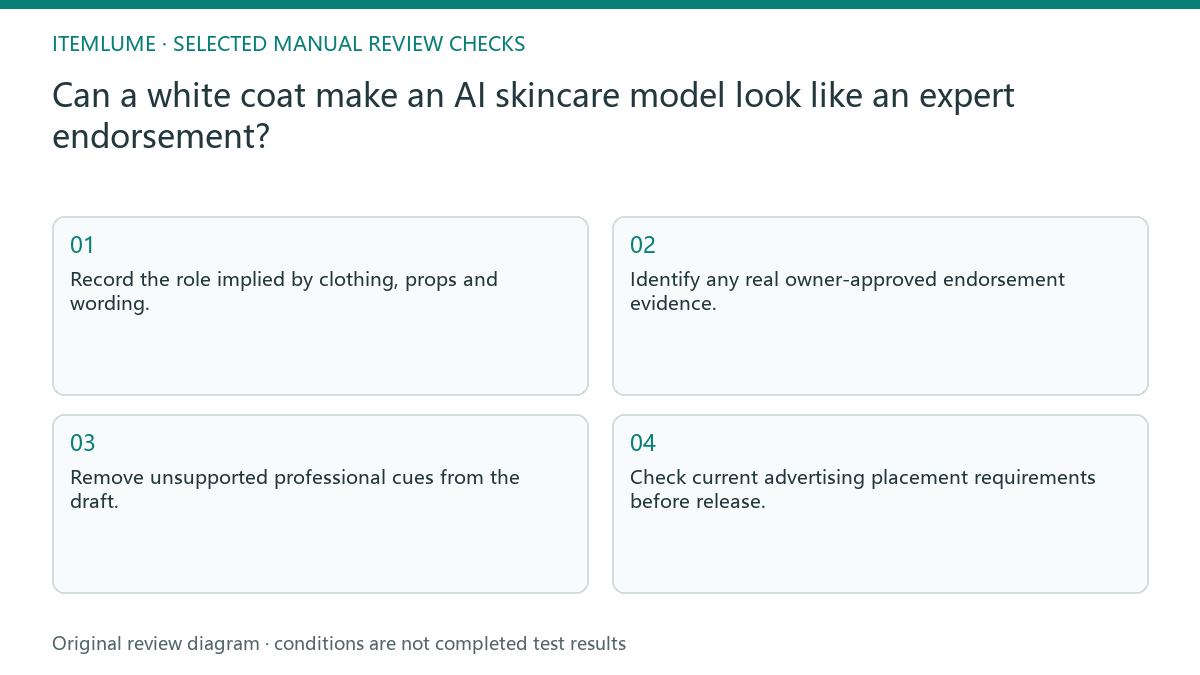
- Record the role implied by clothing, props and wording.
- Identify any real owner-approved endorsement evidence.
- Remove unsupported professional cues from the draft.
- Ask an unbriefed reviewer to describe the perceived presenter.
- Check current advertising placement requirements before release.
Keep the product category and implied role separate
Ordinary cosmetics, medical devices and medical-beauty services are different review contexts. SAMR’s medical-beauty advertising guideline expressly addresses medical-beauty advertising and discusses both authentic and falsely implied medical-professional endorsements. It should not be converted into a universal claim that every white garment in every skincare image is prohibited.
For this creative review, record the actual offer/category, the overall implied role, evidence for each claim, and the applicable destination rule. A real professional’s credentials or permission do not automatically make a restricted endorsement permissible. Conversely, removing a coat does not remove an expert impression if instruments, setting or wording still communicate it.
Ask an unbriefed reviewer what role the presenter appears to have and which cues led to that answer. Keep that observation separate from the qualified advertiser/legal review. The current Xiaohongshu rule page was unreadable in this review; do not present this checklist as current platform preapproval or substitute an AI label for resolving the role.
Fictional exercise: an ordinary demonstration looks clinical
This fictional exercise uses a generated skincare presenter wearing a white coat beside a clinical-looking bench. No professional evidence exists. The team intended a texture demonstration, but the draft suggests an expert recommendation. The example is invented, not a real advertising rejection.
They change the role to an ordinary fictional presenter, remove the clinical props and inspect the revised wording together. If the revised image still implies an unsupported expert, it remains on hold. The stopping rule is a supported presentation role, not merely adding “AI-generated” to the image.
Approve role and claims as separate facts
Save the chosen role, supporting record and reviewer interpretation with the creative file. Review product claims independently: an ordinary presenter can still say something unsupported. A professional’s existence, even when genuine, does not establish every efficacy statement in the advertisement.
Model selection, image generation and external advertising review are separate stages. Stop when the presenter’s implied identity and the product wording are supported, and the owner has completed the destination check. Do not call a generated model a verified professional or treat this editorial checklist as platform preapproval.
Presenter-impression audit
| Observation | Manual check | Stop or approve |
|---|---|---|
| White coat | Review complete context | Hold unsupported authority |
| Clinical instrument | Ask role purpose | Remove misleading cue |
| Expert wording | Trace real evidence | Do not invent credential |
| Neutral role revised | Unbriefed interpretation check | Separate claim review |
Use this matrix as a manual review record and add your own real evidence. Its conditions are not completed test results.
Sources and further reading
Recorded source-review dates are listed individually below. An undated source does not inherit the article’s publication date. Software and platform rules can change; check the current original before acting.
- CartVisual: editorial policy and product scope · Review date not separately recorded
- 聚光帮助中心 - 广告内容审核相关规则页 · Review date not separately recorded
- SAMR: Medical-beauty Advertising Enforcement Guideline · Reviewed
Frequently asked questions
Is an AI label enough?
No. It identifies synthesis, not the truth of a role or endorsement.
Does removing a coat guarantee approval?
No. Review the combined scene and the actual advertising requirements.
Can a model reference prove expertise?
No. Visual identity is distinct from professional evidence.
PREPARE ASSETS FOR YOUR NEXT STEP
Create supporting product assets in CartVisual.
Create new product creative assets in the workspace, then continue in your chosen tools. Third-party software procedures described in this guide take place in those applications; this workspace link does not imply an integration. Check current capabilities, account access and credit quotes.
Explore asset creation tools Check pricing and credits