 CartVisual
DIAGNOSTIC GUIDE / Product images
How do I keep wallpaper repeat size and seams accurate in a room mockup?
A room mockup cannot establish wallpaper repeat size or seam layout by appearance alone. Obtain the real repeat dimensions, roll width, and supplier’s matching instructions for the actual SKU. Use those as a pattern-placement brief and compare the mockup with a dimensioned reference. Do not describe a plausible generated wall as evidence that installation will align.
Distinguish the pattern from a resized decoration
Record the full pattern repeat and its dimensions separately from the match instruction. Graham & Brown distinguishes free, straight and offset matches: a free-match design does not require motif alignment at every join; a straight match aligns the design across adjacent strips; an offset match requires a specified shift between strips. These are manufacturer examples, not permission to guess this SKU’s match or a universal half-repeat rule. Keep its actual product sheet, roll width, direction and specified offset with the complete source pattern rather than using one cropped flower as a tile.
Also record the wall dimensions and relevant architectural references. A large decorative motif can be visually impressive but wrong for the offered paper. Do not stretch the pattern independently across the wall merely to fill the frame; preserve its intended proportions and treat room size as a separate input.
Make a repeat-and-seam review map
In an external layout, mark where repeated units and roll joins would fall according to confirmed supplier instructions. This map is a review aid, not an installation plan approved by the manufacturer. It helps identify missing motifs, inconsistent repeat spacing, and seams that vanish in a creative render.
Use a real sample or approved dimensioned pattern as the comparison. If the room mockup implies a seamless mural while the sold product has repeated strips, clarify the offer. Creative context should not erase the product form or suggest a custom-cut single panel that the customer will not receive.
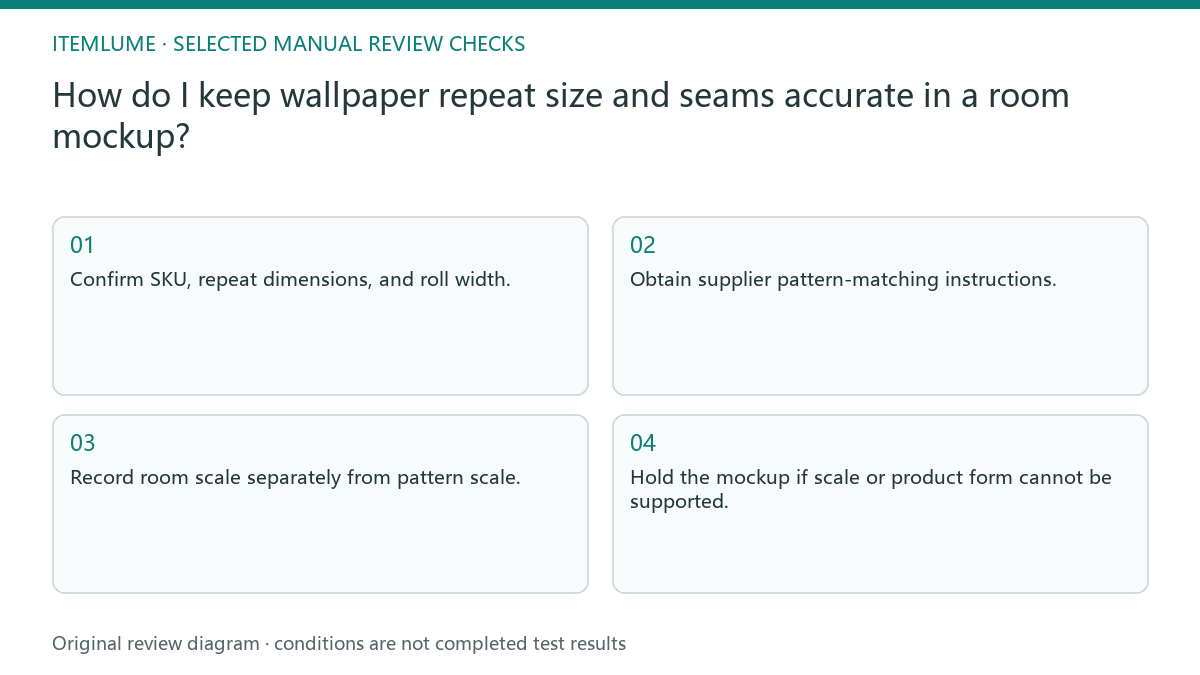
- Confirm SKU, repeat dimensions, and roll width.
- Obtain supplier pattern-matching instructions.
- Record room scale separately from pattern scale.
- Compare repeated motifs and proposed joins in an external map.
- Hold the mockup if scale or product form cannot be supported.
A fictional botanical wall
Fictional exercise: a botanical wallpaper has a supplier-documented repeat, but a mockup makes its leaves twice as large to create a dramatic wall. The review labels the size difference and asks for a correctly scaled external layout reference. No roll was installed and no generated room was measured in this exercise.
A revised candidate must match that reference while keeping the room dimensions unchanged. If the pattern aligns only after stretching it horizontally, stop approval and resolve the source tile or placement method. The seller should not use an attractive room render as a substitute for the manufacturer’s installation and matching instructions.
Explain what the visual does and does not show
Label a room image as an illustrative context when that is its role, and keep actual repeat information in the product facts. Show a real sample view when buyers need to judge motif size. A room photo, a pattern swatch, and installation instructions serve different purposes and should not silently contradict each other.
CartVisual can help create a scene, but it does not automatically calculate roll usage, engineer seams, or verify installation. Those tasks require supplier evidence and appropriate external review. Stop when the SKU’s pattern or dimensions are unavailable rather than inventing a repeat to complete the image.
Pattern and room-scale check
| Item | Source evidence | Approval condition |
|---|---|---|
| Repeat unit | Complete dimensioned pattern | Motifs recur consistently |
| Roll width | Supplier SKU specification | Strip boundaries remain plausible |
| Matching instruction | Supplier installation guidance | No invented alignment promise |
| Room scale | Documented room dimensions | Pattern not stretched to fit |
Use this matrix as a manual review record and add your own real evidence. Its conditions are not completed test results.
Sources and further reading
Recorded source-review dates are listed individually below. An undated source does not inherit the article’s publication date. Software and platform rules can change; check the current original before acting.
- CartVisual: editorial policy and product scope · Review date not separately recorded
- Product photography tips(Adobe Express) · Review date not separately recorded
- Graham & Brown: Wallpaper FAQ · Reviewed
Frequently asked questions
Can a flower crop define the repeat?
Not necessarily. Obtain the complete repeat and its dimensions from the supplier.
Can I enlarge motifs for a nicer room?
Only as a clearly separate creative treatment, not a faithful depiction of the offered wallpaper’s size.
Does the mockup calculate rolls needed?
No. Follow supplier instructions and a suitable measurement process for real installation.
PREPARE ASSETS FOR YOUR NEXT STEP
Create supporting product assets in CartVisual.
Create new product creative assets in the workspace, then continue in your chosen tools. Third-party software procedures described in this guide take place in those applications; this workspace link does not imply an integration. Check current capabilities, account access and credit quotes.
Explore asset creation tools Check pricing and credits