 CartVisual
DIAGNOSTIC GUIDE / A+ product pages
How should copy distinguish cartons, inner packs and individual pieces?
Build a quantity tree before writing the headline: carton, inner pack and individual piece can each be the order unit. The buyer must know which level the shown price buys and how the lower levels relate. Do not treat a display containing every piece as the default quantity for each selectable SKU. Check how the order unit maps to received pieces before displaying a wholesale price.
Order unit and total pieces are not interchangeable
Packaging hierarchy and price denominator are related but not identical. A carton may contain several retail packs, each containing multiple items. The supplier’s pack configuration can change by SKU, so multiplying one remembered example across the catalog can create incorrect quantities even when the product photograph is accurate.
Identify the priced tier before multiplying: one carton, one retail box or one individual piece. The image may show a display containing every item, while the selected option buys only one tier. Separate net weight from gross shipping weight so quantity explanations do not mix contents with packing.
Draw the carton-to-box-to-piece tree
Obtain the actual order unit and each parent-to-child count from the supplier’s approved pack record. Draw the hierarchy, multiply to check totals and label which level is priced. Compare the purchase option, title, image and dispatch description against that tree, retaining a separate row for any SKU with a different configuration.
Use one record per actual SKU revision: parent tier; child tier; confirmed children per parent; source packing record; selected order tier; units received at that selection. If a supplier skips an inner-box level, omit it rather than inventing a standard hierarchy. Keep an unknown count unresolved instead of multiplying a remembered carton configuration.
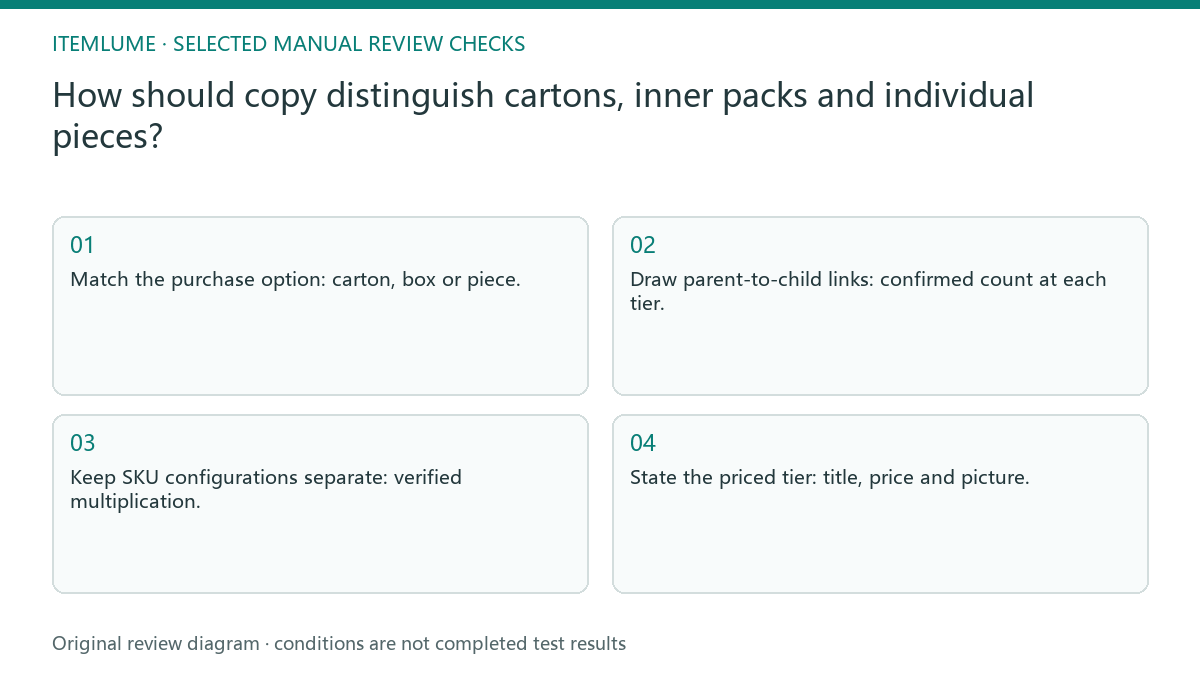
- Match the purchase option: carton, box or piece.
- Draw parent-to-child links: confirmed count at each tier.
- Keep SKU configurations separate: verified multiplication.
- State the priced tier: title, price and picture.
A carton of 12 boxes with two clips each
Fictional exercise: one carton contains 12 retail boxes, each with two clips, for 24 clips in total. A selectable single-box option still buys only two clips. The creative labels both routes and their quantities. Invented teaching counts do not establish the seller’s genuine pack configuration or wholesale quote.
Fictional record: carton → 12 boxes; box → 2 clips. Selected tier “one carton” therefore means 24 clips, while “one box” means two. No monetary price or actual stock is supplied. Show the selected tier beside its received quantity and ask a reviewer to identify both routes without the supplier sheet. FTC U.S. guidance considers the offer’s overall wording and imagery; a carton photograph cannot fill a missing order-unit statement or prove hidden contents.
Keep SKU configurations separate
Stop if a tier count, order unit or SKU configuration is unknown. Do not have AI infer hidden inner packs from the outer carton picture.
Unknown tier counts or weight definitions require supplier clarification. Do not infer unseen inner packs from a carton photo or synchronize the catalog from one remembered example. The supplier and seller verify packing quantities. CartVisual can draft a visual explanation from confirmed counts but does not inspect cartons or synchronize wholesale inventory.
Order unit to creative promise: decision worksheet
| Check | Evidence to record | Review action |
|---|---|---|
| Order unit | Carton, box or piece | Match the purchase option |
| Hierarchy | Confirmed count at each tier | Draw parent-to-child links |
| Total check | Verified multiplication | Keep SKU configurations separate |
| Creative promise | Title, price and picture | State the priced tier |
Use this matrix as a manual review record and add your own real evidence. Its conditions are not completed test results.
Sources and further reading
Recorded source-review dates are listed individually below. An undated source does not inherit the article’s publication date. Software and platform rules can change; check the current original before acting.
- CartVisual: editorial policy and product scope · Review date not separately recorded
- FTC: Advertising FAQs for small business · Reviewed
Frequently asked questions
Does a single-box option buy the carton total?
No. Match the price to its selected tier and show the lower-level quantity it actually contains.
Can I infer inner packs from the outer image?
No. Obtain the approved packing record and keep unknown counts unresolved.
May I label gross shipping weight as net contents?
No. Confirm the actual weight definition and keep packaging weight separate.
PREPARE ASSETS FOR YOUR NEXT STEP
Create supporting product assets in CartVisual.
Create new product creative assets in the workspace, then continue in your chosen tools. Third-party software procedures described in this guide take place in those applications; this workspace link does not imply an integration. Check current capabilities, account access and credit quotes.
Explore asset creation tools Check pricing and credits